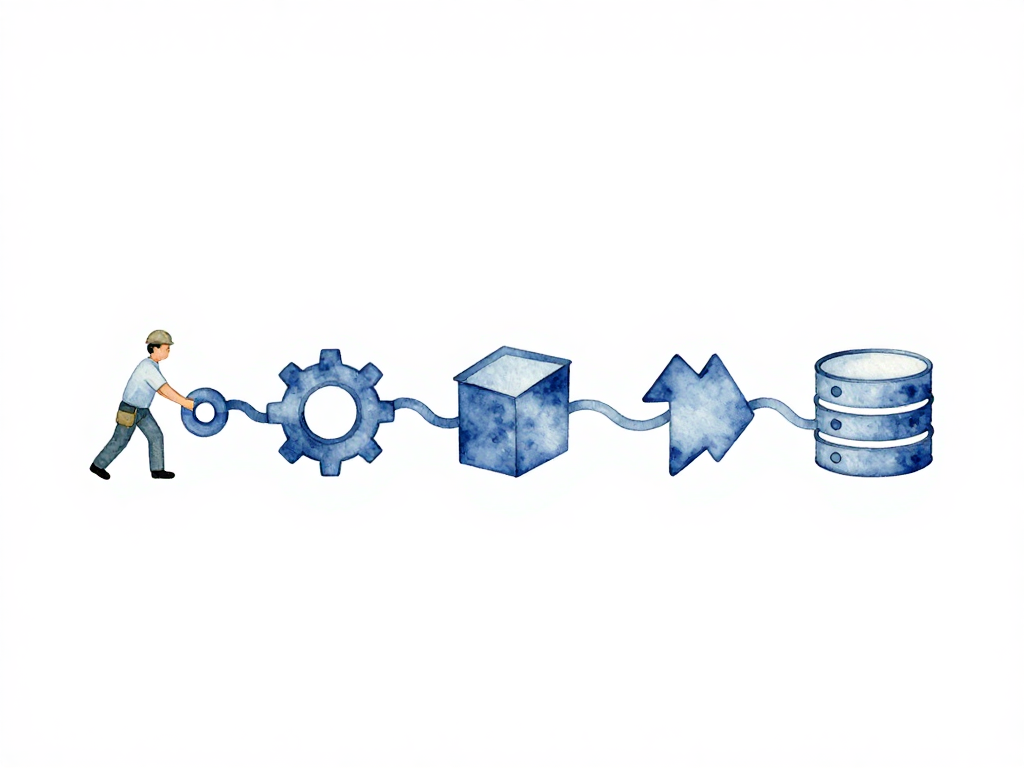
From Commit to Production: How Tools Talk to Each Other in a Real Pipeline
You push a commit. Then what?
If you have ever watched a deployment stall because the CI server did not get the notification, or because someone had to manually copy an artifact from one place to another, you already know the pain. The tools are all there. The pipeline is configured. But somewhere in the middle, the chain breaks. Someone has to SSH into a box, run a command by hand, and hope nothing goes wrong.
That is the moment when CI/CD stops being automated and becomes a collection of manual steps dressed in tooling.
The real work of a pipeline is not in any single tool. It is in how those tools connect. A commit in your repository must trigger the CI server. The CI server must know where to send the finished artifact. The artifact registry must notify the deployment tool that a new version is ready. And the deployment tool must coordinate with the database migration process before or after the new version starts running.
This chain of triggers and data flow is what makes a pipeline actually work. Let us walk through it from the beginning.
The Trigger Chain: Every Tool Has Two Jobs
Every tool in a pipeline plays two roles. It receives a trigger from the tool before it, and it sends a trigger to the tool after it. If any connection breaks, the pipeline stops. The team has to step in manually, and you are back to the exact problem CI/CD is supposed to solve: slow, error-prone manual processes.
The chain starts with a commit. A developer merges changes into the main branch, or opens a pull request that gets merged. The Git server detects this event. That event needs to reach the CI server. The delivery mechanism could be a webhook, polling, or an event bus. The method does not matter as much as the fact that the CI server knows new code is waiting.
The following sequence diagram illustrates this chain of triggers and data flow:
Here is a concrete example of that trigger chain in a GitHub Actions workflow:
name: Build and Deploy

on:
  push:
    branches: [main]

jobs:
  build:
    runs-on: ubuntu-latest
    steps:
      - uses: actions/checkout@v4
      - name: Build artifact
        run: docker build -t myapp:${{ github.sha }} .
      - name: Push to registry
        run: |
          docker tag myapp:${{ github.sha }} registry.example.com/myapp:${{ github.sha }}
          docker push registry.example.com/myapp:${{ github.sha }}
      - name: Trigger deployment
        run: |
          curl -X POST https://deploy.example.com/api/deploy \
            -H "Authorization: Bearer ${{ secrets.DEPLOY_TOKEN }}" \
            -H "Content-Type: application/json" \
            -d '{"artifact": "myapp", "version": "${{ github.sha }}", "env": "staging"}'
The CI server runs its pipeline. This includes build, test, and packaging stages. The output is an artifact. That artifact could be a compiled binary, a container image, a configuration file, or a database migration package. It must go to a registry. A registry is not just a folder on a server. It is a structured storage system where every artifact has a version, metadata, and provenance information about how it was built.
Now the deployment tool needs to know that a new version is available. Some deployment tools monitor the registry directly. Others wait for a trigger from the CI server or a webhook from the registry. Either way, the deployment tool must receive the information that version X of artifact Y is ready for a specific environment.
The deployment tool then deploys to the target environment. But application deployments rarely stand alone. Before the new version runs, the database often needs changes: a new column, a modified index, or a data migration. Database migrations must run as part of the deployment, not as a separate manual step. The order matters. Sometimes the migration must run before the new application version starts. Sometimes it must run after. It depends on whether the change is backward compatible.
After deployment finishes, the pipeline is not done. You need verification that the new version is running normally. This could be a health check, a smoke test, or an observability signal showing no sudden spike in errors. If verification fails, rollback must be triggered automatically or with one click.
The Artifact Flow: Data That Moves Between Tools
Throughout this chain, data flows between tools. Commit metadata, artifact version, pipeline status, test results, environment configuration, and credentials for accessing each tool. This data must pass from one tool to the next without manual intervention.
This is the artifact flow. The cleaner the artifact flow, the fewer errors caused by information getting lost in the middle. When a deployment fails because someone forgot to update a configuration file, or because the wrong artifact version was deployed, the root cause is almost always a broken artifact flow.
A well-designed artifact flow includes:
- A unique identifier for every artifact that links back to the exact commit and pipeline run.
- Environment-specific configuration that is stored separately from the artifact itself, so the same artifact can be promoted through staging to production without rebuilding.
- Credential management that allows each tool to authenticate to the next tool without hardcoded secrets.
- Status propagation so that every tool in the chain knows whether the previous step succeeded or failed.
The Pipeline Is Not Always Linear
The trigger chain sounds linear, but real pipelines are not that simple. Sometimes one commit triggers multiple pipelines simultaneously: one for the application, one for infrastructure, one for the database. Or multiple commits accumulate before triggering a deployment. Some teams use a release branch model where commits are batched and deployed together. Others deploy every commit to production directly.
The pattern of triggers and data flow determines how your pipeline behaves under pressure. If you choose tools without understanding how they will connect, you end up with a pipeline that works in demos but breaks in production. The tool that looks great on paper might not integrate well with your artifact registry. The deployment tool that handles containers beautifully might have no support for database migrations.
This is why tool selection should start with the chain, not with individual features. Map out how a commit becomes a running service in production. Identify every handoff point. Then evaluate tools based on how well they handle those handoffs.
The Risk of Tool Sprawl
When every team picks their own tools without coordination, the result is not a smooth pipeline. It is tool sprawl. One team uses Jenkins. Another uses GitHub Actions. The database team has their own migration tool. The infrastructure team uses Terraform with a different state backend. Each tool works in isolation, but connecting them requires custom scripts, manual steps, and a lot of tribal knowledge.
Tool sprawl is not just a maintenance problem. It is a reliability problem. Every custom integration is a point of failure. Every manual handoff is a place where mistakes happen. The goal is not to use the same tool for everything. The goal is to have a coherent trigger chain and artifact flow across whatever tools you choose.
Practical Checklist for Connecting Tools
Before you finalize a tool selection, run through this checklist for each handoff point in your pipeline:
- How does the Git server notify the CI server about a new commit?
- How does the CI server push the artifact to the registry?
- How does the deployment tool learn about a new artifact version?
- How does the deployment tool trigger database migrations?
- How does the pipeline verify the deployment succeeded?
- How does the rollback get triggered, and does it include database rollback?
- What data flows between each pair of tools, and is it passed automatically?
If any of these handoffs require a person to do something manually, you have found a gap that will cause problems sooner or later.
The Takeaway
A pipeline is only as strong as its weakest connection. The tools you choose matter less than how they pass triggers and data to each other. Start by mapping the chain from commit to production. Identify every handoff. Then pick tools that fit into that chain, not tools that look impressive in isolation. The best pipeline is not the one with the most features. It is the one where a commit flows to production without anyone having to stop and figure out what to do next.