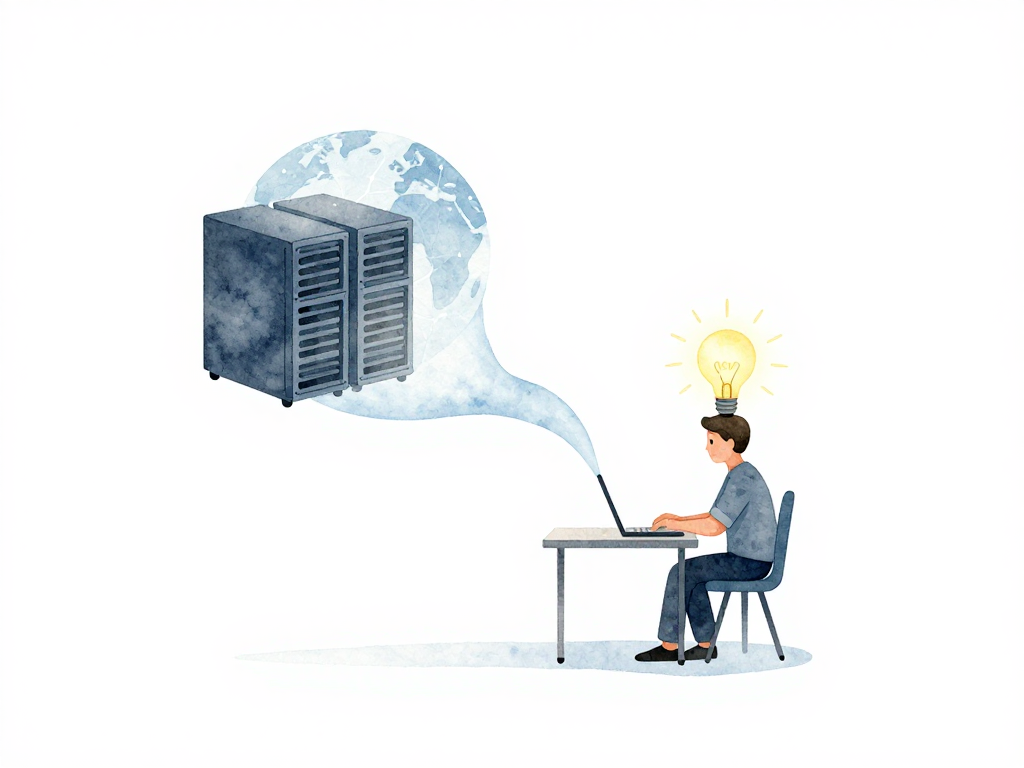
From an Idea on Your Laptop to an Application People Can Actually Use
Every application starts the same way: as an idea in someone's head. Maybe you want to solve a problem you've noticed, or your team asked you to build something new. Whatever the reason, at some point you open your laptop and start writing code.
On your laptop, everything feels easy. You run the application, see the interface, try a few features, and it all works. If something breaks, you fix it and run it again. Only you see it. Nobody else gets disrupted if the app crashes or throws errors.
But the idea of building an application rarely stops at your laptop. You built it so other people could use it -- friends, clients, colleagues in the office, or the public. The moment someone else needs to access it, a very basic question appears: where will this application run so other people can reach it?
Your laptop is not the right place. Laptops shut down, run out of battery, get taken home, or connect to networks that block outside access. If your application only runs on your machine, other people can only use it when you are sitting in front of it and your network allows external access. That is neither practical nor reliable.
The First Real Need: A Place to Run
An application needs to live somewhere that stays on, stays connected to the network, and can be reached by whoever you allow. That place is called a server. A server can be a physical computer you manage yourself, or a virtual machine you rent from a cloud provider. What matters is that a server is a computer whose main job is to run applications and serve requests from users.
The process of putting your application onto a server so others can access it is the first real need that appears in software delivery. This need is often called hosting. You need to decide where the application will be hosted, how to send your code to that server, and how to make sure the application actually runs once it gets there.
The server used to run the application that real users depend on is called the production environment. The word "production" signals that this is no longer a test area. This is where the application must work correctly because real users rely on it. If the application errors in production, users cannot use its features. If it goes down completely, users cannot access the service at all.
The Difference Between Your Laptop and Production
The gap between your laptop and a production environment is fundamental. On your laptop, you have full control and there are no major consequences if the application breaks. In production, the application must keep running, must be accessible, and must stay stable. The consequences of failure are felt directly by users.
This is where many developers first realize something important: making an application run on your own laptop is a personal matter. Making an application usable by other people is a completely different challenge. You need a place to run it, a way to send it there, and confidence that it will work correctly after it arrives.
How Do You Actually Get the Application to the Server?
Once you have a server, the next natural question is: how do you send the application there? Is it enough to copy files? Or is there more to it?
The answer depends on what kind of application you built. If it is a simple static website, copying HTML files might work. But most applications are more complex. They need dependencies installed, configuration files set up, databases connected, and environment variables defined. Just copying the code is rarely enough.
This is where the concept of deployment comes in. Deployment is the process of taking your application from its source -- usually a code repository -- and making it run in a target environment. It includes copying the right files, installing dependencies, running setup steps, and starting the application process so it begins accepting requests.
A simple deployment might look like this:
- Pull the latest code from a repository onto the server.
- Install any new dependencies.
- Run database migrations if the schema changed.
- Restart the application process.
Even this simple sequence can go wrong. What if the server runs a different operating system than your laptop? What if a dependency version conflicts with something already installed? What if the database migration takes longer than expected and users see errors?
Making It Available vs. Making It Work
There is another distinction worth noticing early: putting the application on the server is not the same as making it available to users.
You can copy all the files to the server, start the process, and still have an application that nobody can reach. Maybe the server firewall blocks the port. Maybe the domain name does not point to the right IP address. Maybe the application binds to localhost instead of the network interface. Maybe the SSL certificate expired and browsers refuse to connect.
Making an application truly usable means more than deployment. It means ensuring the network is configured correctly, DNS records point to the right place, the application listens on the right address and port, and the service stays running even after a server restart.
This is why production environments are never just about code. They involve networking, system administration, monitoring, and often a separate team or person responsible for keeping the infrastructure healthy.
What Comes Next
Once you have your application running in production and users can access it, the journey does not stop. Users will find bugs. They will ask for new features. Someone will discover a security vulnerability. The business will want to add a payment flow or change the user interface.
Every one of these changes means you need to update the application in production. And every update carries risk. A new feature might break something else. A database migration might corrupt data. A configuration change might make the application slower.
This is where the need for a reliable, repeatable process becomes clear. You cannot afford to manually copy files and hope everything works every time you make a change. You need a system that builds, tests, and deploys your application consistently.
That system is what the rest of this article series will explore. But before we get there, it is worth checking whether your current setup has the basics covered.
A Quick Practical Check
If you are currently running an application that other people use, ask yourself these questions:
- Do you know exactly which server is running the application?
- Can you deploy a new version in under 30 minutes with confidence?
- If the server crashes, can you restore the application and its data?
- Do you know what happens when you restart the server?
- Can you roll back to a previous version if something goes wrong?
If you answered "no" to any of these, you are not alone. Most teams start with manual processes and improve over time. The important thing is to recognize these gaps and start closing them one by one.
The Takeaway
Making an application that people can actually use starts with one simple truth: your laptop is not production. The gap between running code locally and running it for real users is where most of the complexity in software delivery lives. Before worrying about pipelines, automation, or advanced deployment strategies, make sure you understand where your application runs, how it gets there, and what it needs to stay running. Everything else builds on top of that foundation.