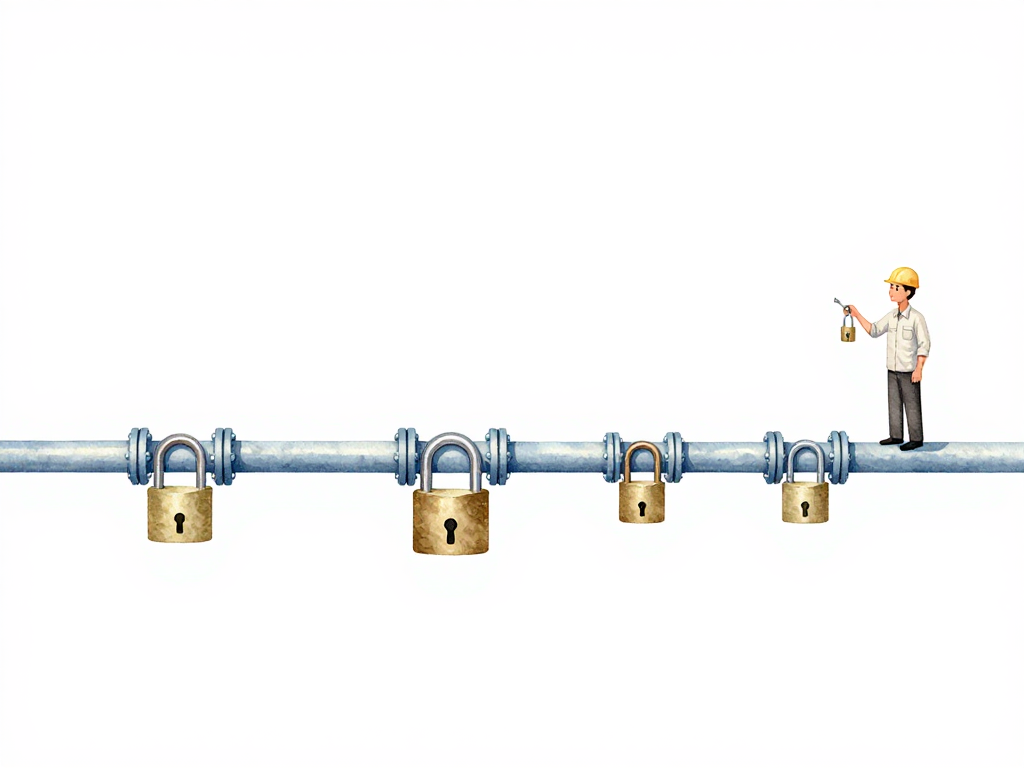
When Governance Slows Down Your Pipeline (And How to Fix It)
Your pipeline is green. Tests pass automatically. Builds complete in minutes. But every time you want to release, someone is waiting for approval from another team. Security needs to check. Compliance needs to sign off. The DBA hasn't replied yet.
This is the moment where fast pipelines meet slow governance. And the pipeline stops being the bottleneck. The humans are.
The Real Problem Isn't Governance
Every organization needs rules. Applications used by real people can't be changed carelessly. User data must be protected. Database schema changes need review. Infrastructure modifications should follow standards.
The problem isn't the existence of these rules. The problem is how they're enforced.
In most teams, governance lives outside the pipeline. Rules are written in documents. Checks happen manually. Someone sends an email, waits for a reply, and only then can the release continue. Each manual check adds hours or days of waiting time. A pipeline that could deliver daily ends up delivering weekly or bi-weekly.
This separation between pipeline and governance creates a hidden queue. The pipeline says "ready to go," but the real gate is a person who hasn't looked at their inbox yet.
Bring Governance Into the Pipeline
In an integrated delivery operating model, governance doesn't stand outside the pipeline. It's part of the pipeline itself. Rules become automated verification gates that run alongside functional tests.
Here's how this looks in practice.
The following flowchart contrasts the old manual governance model with the integrated pipeline model:
Your team has a policy: any change touching a database table needs DBA review. In the old model, a developer sends an email, waits for a reply, and the release stalls. In the integrated model, the pipeline detects a schema change automatically. It runs the migration in dry-run mode. It checks for potential data loss. It sends the DBA a notification with analysis results attached. The DBA reviews the output and approves directly inside the pipeline, not in a separate email thread.
The same pattern applies to other common rules:
Here is a practical example of how you might implement a database migration approval gate in GitHub Actions:
name: Deploy
on: [push]

jobs:
  build:
    runs-on: ubuntu-latest
    steps:
      - uses: actions/checkout@v4
      - name: Build and test
        run: make build test

  db-review:
    needs: build
    if: ${{ hashFiles('migrations/**') != '' }}
    runs-on: ubuntu-latest
    environment: db-approval
    steps:
      - uses: actions/checkout@v4
      - name: Run migration dry-run
        run: make migrate-dry-run
      - name: Check for data loss
        run: make check-data-loss
      - name: Notify DBA
        run: echo "Migration analysis complete. Waiting for approval."

  deploy:
    needs: [build, db-review]
    runs-on: ubuntu-latest
    steps:
      - name: Deploy to production
        run: make deploy
In this workflow, the db-review job only runs when files in the migrations/ directory have changed. It runs a dry-run migration and checks for data loss, then pauses for manual approval via the db-approval environment. The deploy job waits for both the build and the DBA approval to complete.
- Dependencies must not contain high-severity vulnerabilities
- Container images must be scanned before deployment
- Configuration must match security standards
- Infrastructure changes must pass a plan stage first
- Secrets must not be hardcoded in code
Each of these becomes a gate that runs automatically. If a gate fails, the pipeline stops and the team knows exactly what to fix. No one needs to chase someone else for a manual review of something a computer could check.
Risk-Based Governance
This approach is often called risk-based governance. The level of checking adjusts to the risk of the change.
A documentation update? Pass through with minimal gates. A change touching user data or core business logic? Go through more gates. The pipeline determines the level of scrutiny based on what changed, not who made the change.
This is important because it solves a common tension. Teams want to move fast. Security and compliance teams want to catch problems. When every change gets the same heavyweight review, both sides lose. Developers get frustrated by slow releases. Security teams get overwhelmed by too many manual reviews and miss real issues.
Risk-based governance lets both sides win. Low-risk changes move fast. High-risk changes get appropriate scrutiny. And the pipeline enforces the rules consistently, every time.
Verification Is Broader Than Testing
When people hear "verification," they often think of unit tests or integration tests. Those are part of verification, but they're not the whole picture.
Verification in this model includes everything that ensures a change is safe, compliant, and ready for production:
- Functional tests prove the change works correctly
- Security scans check for vulnerabilities
- Policy checks enforce organizational rules
- Compliance gates verify regulatory requirements
- Infrastructure validation ensures configurations are correct
All of these run in the same pipeline, under the same framework. The team doesn't need to remember to run separate checks. The pipeline handles it automatically.
What Changes for Each Role
When governance becomes part of the pipeline, everyone's job shifts slightly.
Developers no longer need to chase approvals. They push code, the pipeline runs checks, and if something fails, they get immediate feedback. No more waiting days for a security review that could have been automated.
Security and compliance teams stop reviewing every change manually. They define the rules, write them as verification gates, and monitor results from a dashboard. Their time goes into improving rules and handling exceptions, not reading every line of code.
DBAs get structured notifications with analysis results. They don't need to manually inspect every migration. They review the pipeline's output and approve or reject based on clear evidence.
Engineering managers get visibility into why releases are blocked. The pipeline shows exactly which gate failed and what needs to be fixed. No more guessing whether the delay is technical or procedural.
A Practical Checklist for Getting Started
If you want to move governance into your pipeline, here are the first steps:
- Identify the top three manual approval gates that slow your releases
- For each gate, ask: can this check be automated? If yes, write it as a pipeline step
- For gates that need human judgment, design the pipeline to provide structured evidence, not just a notification
- Start with low-risk changes to prove the pattern works
- Add risk-based logic gradually: simple changes skip heavy gates, complex changes go through more
The Takeaway
Governance and verification belong in the same framework. When they're separated, governance becomes a bottleneck. When they're combined, rules are enforced consistently, releases move faster, and every team member spends less time waiting and more time building. The pipeline doesn't just deliver software. It delivers confidence.