What Your CI/CD Tool Actually Does: A Functional Breakdown
You have a pipeline that builds, tests, and deploys your application. But when something breaks, you realize you are not sure which tool is responsible for what. The CI server is down, but the deployment still ran. The artifact registry has three versions of the same build, and nobody knows which one is correct. The database migration ran twice, and now the schema is in an unknown state.
This confusion happens when teams pick tools by name or popularity instead of understanding what each tool is supposed to do. A CI server cannot replace a deployment tool. A feature flag system is not a secret manager. An observability platform does not do change management.
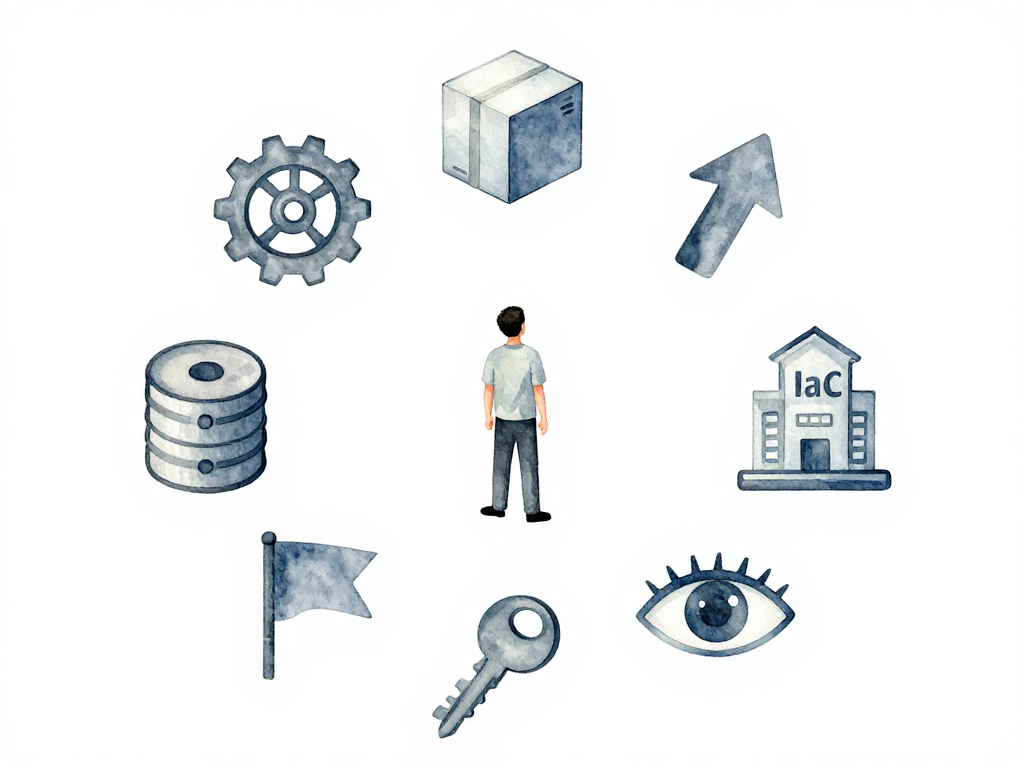
Here is a functional breakdown of the nine categories of tools that make up a modern delivery pipeline. Each category has a specific job that no other category can do for you.
CI Server: The Pipeline Brain
The CI server is the engine that watches your repository and runs your pipeline automatically. When a developer pushes code, the CI server picks up the change, runs the build steps, executes tests, and produces an artifact.
Without a CI server, every code change requires a developer to manually check out the code, run the build, and verify the results. That does not scale past one person working on one feature.
The CI server coordinates the entire pipeline. It decides what runs, in what order, and what happens when a step fails. It is the central nervous system of your delivery process.
The diagram below shows how the nine tool categories fit together in a typical delivery pipeline:
Artifact Registry: The Storage Layer
Once the CI server finishes building, it produces an artifact. That artifact needs a permanent home where deployment tools can find it later.
An artifact registry stores every version of your build with metadata: version number, build hash, dependencies, and sometimes security scan results. Its job is simple but critical: make sure the artifact that passed all tests is the same artifact that gets deployed.
Without a registry, teams end up rebuilding from source at deploy time, which introduces risk. The build that ran an hour ago might produce different output if dependencies changed or if the build environment is not identical.
Deployment Tool: The Placement Engine
A deployment tool takes an artifact from the registry and puts it into a target environment. It reads the environment configuration, pulls the correct artifact, and runs the deployment process.
Deployment tools handle strategies like blue-green, canary, or rolling updates. They manage the transition from the old version to the new version with minimal disruption.
The key distinction: deployment tools do not build infrastructure. They place applications into infrastructure that already exists. If you need to create servers, networks, or cloud resources first, that is a different tool's job.
IaC Tool: The Infrastructure Builder
Infrastructure as Code tools create and manage your infrastructure programmatically. They define servers, databases, networks, load balancers, and cloud resources as code that can be versioned, reviewed, and applied consistently.
IaC tools and deployment tools often work in sequence. The IaC tool prepares the environment. The deployment tool fills that environment with the application. Mixing these two responsibilities leads to brittle pipelines where infrastructure changes are tangled with application deployments.
Database Migration Tool: The Schema Manager
Database migrations are a special kind of change. They alter the schema that your application depends on, and they must run in order. Running migration scripts out of order or skipping one can corrupt your data.
A migration tool tracks which version of the schema is currently applied. It runs only the migrations that have not been executed yet. It knows how to go forward and, in many cases, how to go backward.
Without a migration tool, teams run SQL scripts manually or embed schema changes inside application code. Both approaches are fragile and error-prone, especially when multiple developers work on the same database.
Feature Flag System: The Release Decoupler
Feature flags separate deployment from release. You can deploy code with a feature turned off, then enable it later for specific users, regions, or conditions.
This gives you granular control. A new feature can be tested by a small group first. If it causes problems, you turn it off without rolling back the entire deployment. If it works, you gradually increase the audience.
Feature flags are not configuration files. They are a runtime control system that lets you change application behavior without redeploying.
Secret Management: The Credential Vault
Secrets are passwords, API keys, certificates, and tokens. They must be stored securely and made available only to the services that need them, at the time they need them.
A secret management tool encrypts secrets at rest and in transit. It controls access based on identity and context. It rotates credentials automatically and logs every access attempt.
Hardcoding secrets in configuration files or environment variables is not secret management. It is a security incident waiting to happen.
Observability Platform: The Visibility Layer
Observability collects logs, metrics, and traces from running systems. It gives you the ability to understand what your application is doing in production.
This is different from traditional monitoring. Monitoring tells you if a system is up or down. Observability tells you why a system is behaving the way it is. It helps you debug issues, understand performance, and detect anomalies before they become incidents.
Change Management Tool: The Audit Trail
Every change that goes through your pipeline leaves a trace. A change management tool records who made the change, what was changed, when it happened, and why.
This is essential for governance and compliance. When something goes wrong, you need to know exactly what changed and who approved it. Without a change management tool, you rely on memory, chat logs, or spreadsheets.
Practical Checklist
Before you add a new tool to your pipeline, ask these questions:
- Which category does this tool belong to?
- Do I already have a tool in this category?
- Does the new tool overlap with an existing tool's function?
- If it overlaps, which one should own that function?
The Takeaway
Tools are not interchangeable. A CI server cannot do deployment. A deployment tool cannot manage secrets. An artifact registry cannot run migrations. When you understand the function, not just the name, you stop guessing which tool does what. You build pipelines that are clear, maintainable, and actually work when something goes wrong.