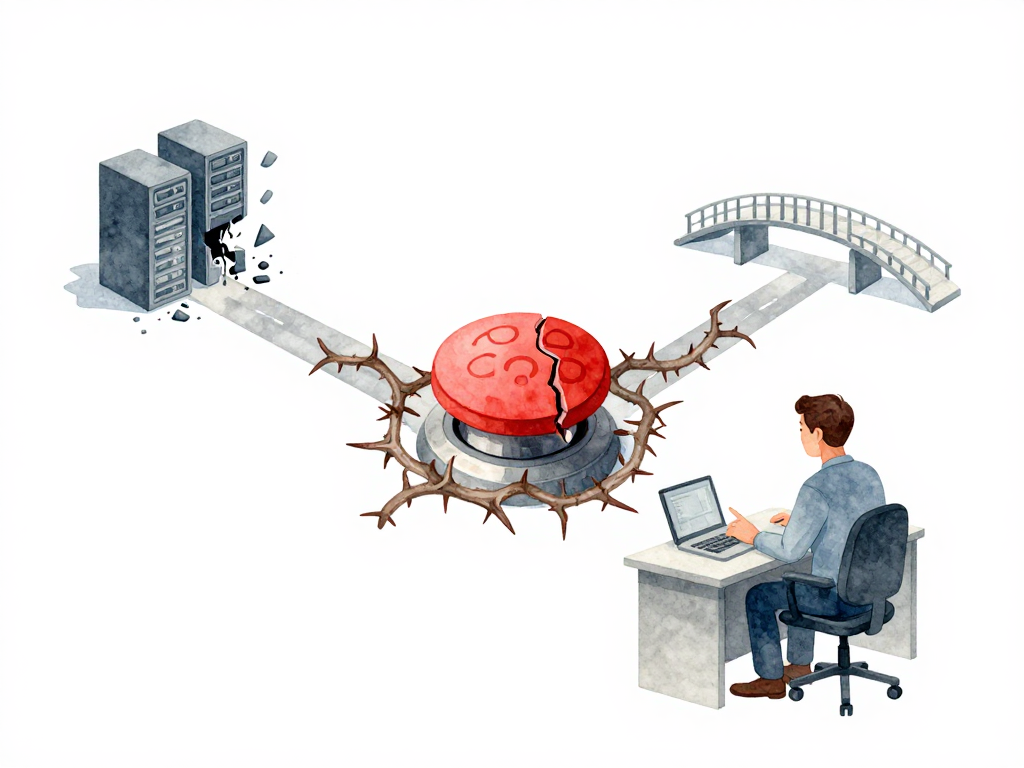
When Rolling Back Makes Things Worse (And What to Do Instead)
You just deployed a new version. The pipeline is green. Health checks pass. CPU and memory look normal. But your phone starts buzzing with messages from users. A feature that worked yesterday is now broken. The data being written to the database looks wrong. And the error logs? Nothing unusual.
This is the moment when most teams think: "Let's just rollback." It sounds simple. Swap the new version with the old one. Problem solved. But in practice, rolling back can turn a manageable problem into a disaster. The old version might not understand the data the new version already wrote. The database schema might have changed. Or the rollback itself takes so long that more users get affected during the transition.
Rollback is not a button you press. It's a decision you make under pressure, with incomplete information, and with consequences that ripple through your system. Understanding when and how to rollback -- and when not to -- is what separates teams that recover quickly from teams that make things worse.
The Real Signal to Rollback
Most teams rely on health checks to decide whether a deployment is healthy. But health checks only tell you if the application is technically running. They don't tell you if the application is doing the right thing.
Consider this scenario: your new version successfully writes customer orders to the database. No errors. No crashes. But the order data is stored with the wrong currency format. The application is technically healthy, but functionally broken. Health checks won't catch this. Your monitoring might not catch this either, unless you have specific business-level metrics in place.
The decision to rollback usually comes from a combination of signals:
- Health checks that start failing
- Error rates that spike
- User reports that describe behavior that doesn't match expectations
- Business metrics that deviate from normal patterns
But there's another factor that teams often overlook: time. How long do you wait before deciding to rollback? Five minutes? Thirty minutes? Until someone complains? The longer you wait, the more data gets written by the new version. And the more data gets written, the harder the rollback becomes.
Set a clear observation window before every deployment. Decide in advance: if we don't see problems in the first 15 minutes, we consider it stable. If we see problems within that window, we rollback immediately. This removes the hesitation that makes bad situations worse.
Why Stateless and Stateful Are Not the Same
The ease of rollback depends almost entirely on whether your application holds state.
For stateless applications, rollback is straightforward. You redirect traffic back to the old version. No data to restore. No schema to reconcile. The old version picks up where it left off because it never depended on state from the new version. This is why stateless services are often the first candidates for aggressive rollback strategies.
For stateful applications, rollback is a different game. Imagine your new version wrote 10,000 records to the database with a new field that the old version doesn't know about. When you rollback the application, the old version tries to read those records. It crashes because the data format doesn't match what it expects. Or worse, the new version altered a database table structure. Now the old application can't even start because the schema is incompatible.
This is the trap: rolling back the application without rolling back the data. If your deployment changed the database schema or wrote data in a new format, rolling back the code alone is not enough. You need to either:
- Restore the database to a point before the deployment
- Write migration scripts that reverse the schema changes
- Accept that some data will be lost or corrupted
Each of these options has its own cost and risk. Database restore takes time and might lose legitimate data that other parts of the system wrote during the window. Reverse migrations need to be tested and ready before deployment, not written under pressure.
Three Strategies That Actually Work
Different situations call for different rollback approaches. Here are three that teams use in practice.
The following decision tree can guide your choice:
Forward Fix
Instead of going back to the old version, you build and deploy a new version that fixes the problem. This is often the safest option for stateful applications because you don't need to undo data changes. You just need to correct them.
Forward fix works well when:
- The bug is isolated and can be fixed quickly
- Your pipeline can deliver a new version in minutes
- The data written by the broken version is recoverable or can be migrated
The risk is time. If the bug is severe and the fix takes hours, users keep experiencing the problem while you work. Forward fix requires confidence in your team's ability to diagnose and fix issues fast.
Traffic Shift
If you use canary or blue-green deployment, rollback is as simple as routing traffic back to the old version. The old version is still running and ready to accept traffic. There's no deployment process to wait for. No transition period where some users hit the old version and others hit the new one.
This is the fastest rollback method. But it only works if you designed your deployment strategy with this in mind. If you use rolling updates, you don't have a standby old version. Rollback means running the entire deployment process again with the old artifact. That takes time and exposes users to errors during the transition.
Here is a concrete example using Kubernetes to shift traffic back to the old version during a canary deployment:
# Check current traffic split (assuming a service with two selectors)
kubectl get virtualservice my-app -o jsonpath='{.spec.http[0].route[*].weight}'

# Shift 100% of traffic to the old version (v1)
kubectl patch virtualservice my-app --type='json' -p='[
  {"op": "replace", "path": "/spec/http/0/route/0/weight", "value": 100},
  {"op": "replace", "path": "/spec/http/0/route/1/weight", "value": 0}
]'

# Verify the change
kubectl get virtualservice my-app -o yaml | grep -A5 "route:"
This approach assumes you have a service mesh or ingress controller (like Istio or Traefik) that supports weighted routing. For simpler setups, you can achieve the same by updating the service selector to point exclusively to the old version's pods.
Accept and Patch
Sometimes the best decision is to leave the new version running and fix the problem in place. This sounds counterintuitive, but consider: if the new version already wrote data that the old version cannot read, rolling back guarantees downtime. Keeping the new version running means users can still use the system while you work on a fix.
This approach works when:
- The problem is not critical (minor display issue, non-blocking bug)
- The data written by the new version is valuable and would be lost on rollback
- The team can deliver a patch within a reasonable time
The key is knowing when to accept and when to act. If the problem affects core functionality or corrupts data, accept and patch is not the right choice.
A Practical Checklist Before Your Next Deployment
Before you deploy, run through these questions with your team:
- What signals will trigger a rollback decision? (health, errors, user reports, business metrics)
- How long will we observe before deciding? (5 minutes, 15 minutes, 30 minutes)
- Does this deployment change the database schema or data format?
- If yes, do we have a tested reverse migration or restore plan?
- Is the old version still running and ready to accept traffic?
- Can we fix forward faster than we can rollback?
Write the answers down. Share them with the team. The time to plan rollback is before the deployment, not during the incident.
The Takeaway
Rollback is not a universal safety net. For stateless applications, it's a reliable escape hatch. For stateful applications, it can be a trap that makes things worse. The decision to rollback depends on how much data has been affected, how fast you can fix forward, and whether the old version can still work with the current state of your system.
Plan your rollback path before every deployment. Know your signals. Set your observation window. And remember: sometimes the best recovery is not going backward, but fixing forward.