Why Database Deployments Hit Different: The Hidden Web of Dependencies
You have a production database that has been running for years. One day, you need to add a column to the orders table. It seems simple enough. The main application only reads columns it knows about, so a new column should be harmless.
But then the nightly batch job fails. The weekly report starts producing garbage numbers. A service owned by another team suddenly throws errors you have never seen before.
What happened? You changed one table, and everything broke.
The Database Has More Consumers Than You Think
In many organizations, a single database rarely serves just one application. Over time, it accumulates consumers. Some you know about. Some you have forgotten. Some were built by people who left the company years ago.
Here is what a typical production database might be serving:
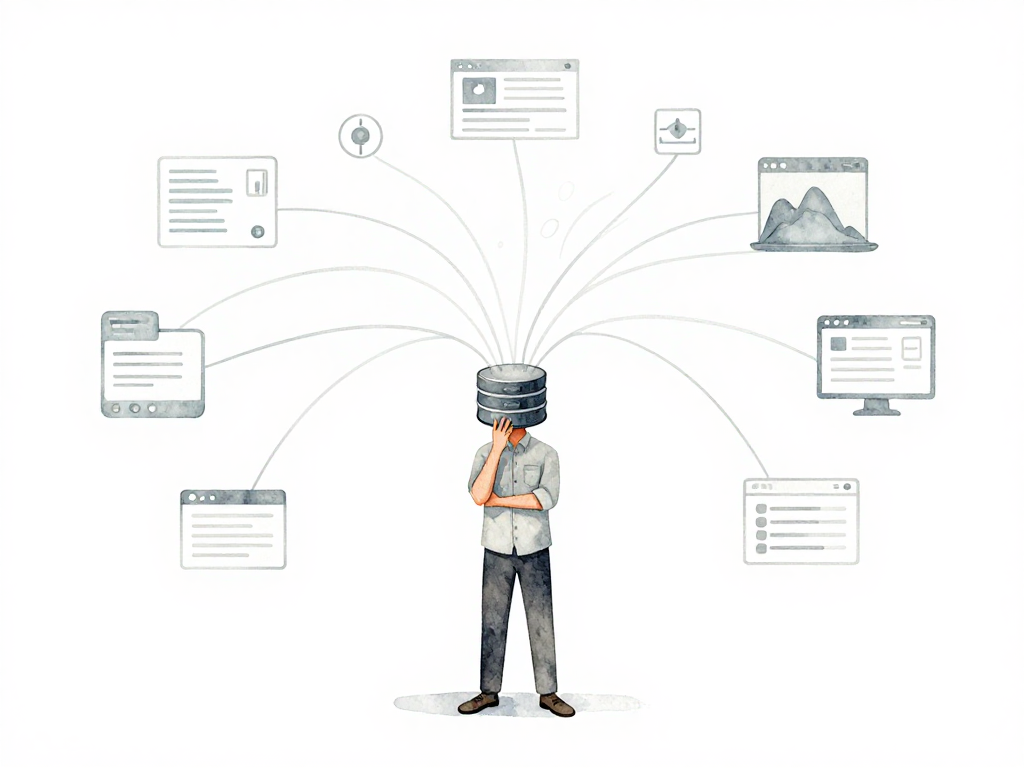
The diagram below shows how a single production database connects to many different consumers, each with its own access pattern:
- The main web application that customers use
- Internal API services that other teams maintain
- Nightly batch jobs that process thousands of rows
- Weekly reporting scripts that feed dashboards
- Ad-hoc queries run by the data team or business analysts
- Legacy services that nobody wants to touch but still run
Each of these consumers accesses the database differently. The web application might read the status column to display a page. The batch job might write thousands of rows using INSERT ... SELECT *. The reporting script might rely on a specific view that joins multiple tables. The analyst might have a saved query that expects columns in a certain order.
When you change the schema, you are not just changing it for your application. You are changing it for every single one of these consumers.
The Real Problem: You Do Not Know Who Depends on This Database
The hardest part of database schema changes is not the technical work. It is the discovery problem.
Documentation is often incomplete or outdated. Code for applications that are no longer active might still be listed as consumers. Batch jobs that run once a year are easy to miss. Services managed by other teams might never communicate with the team making the change.
You cannot safely change what you do not fully understand.
Why Backward Compatibility Matters
The safest approach to schema changes is to ensure backward compatibility. This means the change should not break any existing code that has not been updated yet.
Here are practical patterns that reduce risk:
New columns should be nullable or have a default value. A required column with no default will break any INSERT statement that does not include it. If you must add a required column, add it as nullable first, backfill the data, then make it required in a separate change.
Avoid changing column types directly. Instead, add a new column with the new type, migrate the data gradually, update all consumers to use the new column, and only then drop the old column. This process can take weeks or months, but it prevents downtime.
Be careful with SELECT *. Queries that select all columns and map results to a fixed data structure will break when new columns appear. If you control the consuming code, change these queries to select only the columns they need. If you do not control the code, you need to coordinate with the owning team.
Do not drop columns or tables without verification. A column or table that seems unused might be referenced by a script that runs quarterly. Check query logs, application code, and talk to other teams before removing anything.
The Forgotten Consumer: Humans
Applications and services are not the only consumers of your database. People run manual queries too.
The data team might have a script that generates the monthly executive report. The business analyst might have a saved query in their database tool that pulls customer data every Monday morning. The operations team might run ad-hoc queries during incident response.
When you rename a column or drop a table, these manual queries break silently. Nobody notices until the report comes out wrong or someone cannot find the data they need during an outage.
These human consumers are harder to track because they often do not appear in any code repository. The best defense is communication. Before making a schema change, send a notice to the teams that might be affected. Give them a deadline to raise concerns. Document the change in a place people can find.
Why Database Rollbacks Are Not Like Application Rollbacks
When an application deployment goes wrong, you can roll back to the previous version. The old code replaces the new code, and the system recovers.
Database changes do not work this way.
If you add a column and then need to roll back, the column does not disappear automatically. The data written to that column remains. If you change a column type and then roll back, the existing data might not fit the old type anymore. If you drop a column, the data is gone unless you have a backup.
Worse, a problematic database change affects every consumer simultaneously. While an application rollback only affects users of that application, a database rollback cascades to every service, script, and person that touches the database.
This is why database deployments require more planning, more testing, and more coordination than application deployments. The blast radius is larger, and the recovery options are more limited.
A Practical Checklist Before Your Next Schema Change
Before you run that ALTER TABLE in production, go through this list:
- List every application, service, and script that accesses this table
- Check for
SELECT *queries that might break - Verify that new columns have defaults or are nullable
- Confirm that no column or table being removed is still in use
- Notify teams that might run manual queries against this table
- Have a rollback plan that accounts for data written during the change
- Test the change in a staging environment that mirrors production consumers
The Takeaway
Database schema changes are not just database problems. They are coordination problems that affect every consumer connected to that database. The more consumers you have, the more careful you need to be. Backward compatibility, thorough discovery, and clear communication are not optional. They are the difference between a smooth deployment and a production incident that takes down multiple systems at once.