When Infrastructure Changes Go Wrong: Recovery Options From Reapply to Failover
You just ran terraform apply on your production infrastructure. The output looks clean. No errors. Then your monitoring alert fires: users can't connect to the database. The security group change you made accidentally blocked the application layer.
Now what?
This moment separates teams who have a recovery plan from teams who start frantically searching for the last known good configuration. Infrastructure changes can fail in ways that application rollbacks don't cover. A bad config push might not break your code, but it can break connectivity, storage, or access control. Recovery needs its own playbook.
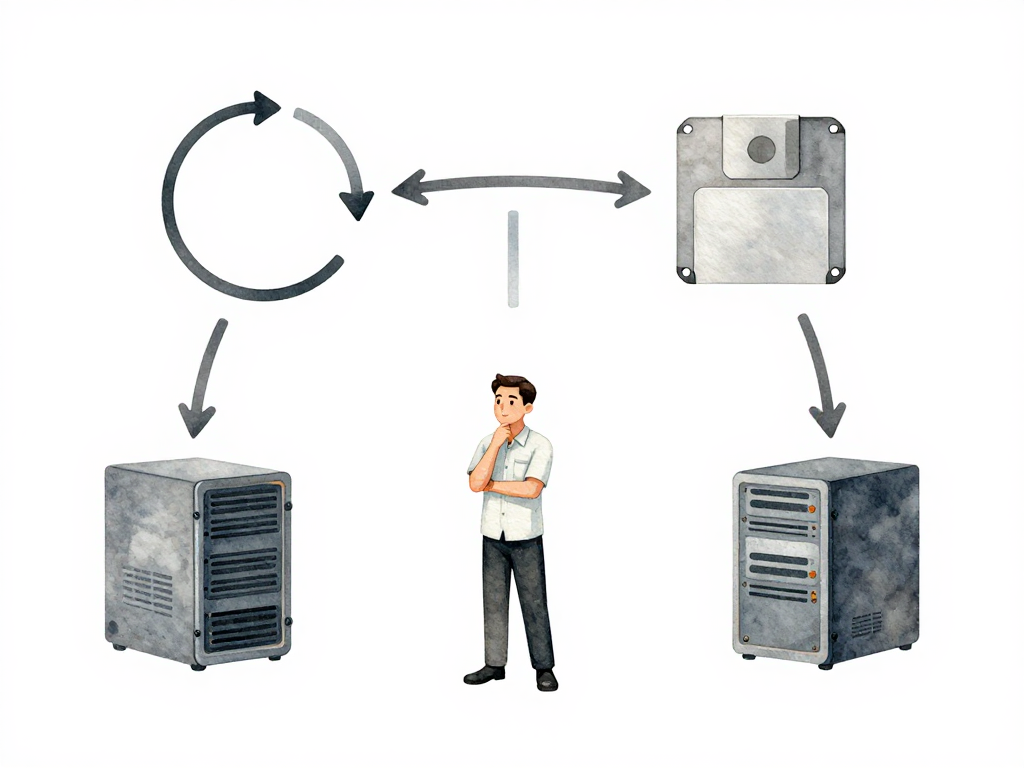
Let's walk through four recovery options, from simplest to most complex. Each one fits different situations, and each comes with trade-offs you need to understand before you need them.
Reapply the Old State
The most direct approach: take your infrastructure back to the configuration it had before the change.
If you use Terraform, this means running terraform apply with the previous state file or configuration. The same idea applies to Pulumi, CloudFormation, or any infrastructure-as-code tool. You're telling the system to restore the known-good version of your infrastructure definition.
This works well when the change is idempotent and the resources involved don't hold critical data. Think security group rules, environment variables on compute instances, or load balancer settings. These resources can flip back and forth without side effects.
Here's a concrete command sequence to reapply the old state:
# 1. Verify the previous state file exists
ls -la terraform.tfstate.backup

# 2. Restore the previous state (overwrites current state)
cp terraform.tfstate.backup terraform.tfstate

# 3. Preview the changes Terraform will make to revert
terraform plan -state=terraform.tfstate

# 4. Apply the old state to restore infrastructure
terraform apply -state=terraform.tfstate -auto-approve
Note: Always verify the backup state file is valid before applying. Run
terraform state list -state=terraform.tfstate.backupto confirm it contains the expected resources.
The catch: you need the old state to still exist. If your team prunes old state files or if the infrastructure provider garbage-collected some resources, you might not have anything to reapply. Also, this approach struggles with stateful resources. You can't just reapply an old database configuration and expect the data to return to its previous state.
Reapply is fast, requires minimal manual intervention, and works for most stateless infrastructure changes. But it's not a universal solution.
Snapshot Restore
When your change touches resources that hold data, reapply isn't enough. You need to restore the data itself.
Before making a change to a database, file system, or any stateful resource, take a snapshot. Cloud providers offer this for volumes, databases, and storage buckets. The snapshot captures the resource's state at a specific point in time.
If the change fails, you restore from that snapshot. The database goes back to its pre-change state. The file system returns to its previous content.
This approach is heavier than reapply. Restoring a snapshot takes time. During that time, the resource might be unavailable. Users see errors or degraded service. But for stateful resources, snapshot restore is often the only reliable option.
It works best when the blast radius is limited to one resource or component. If you changed a database schema and it broke the application, restoring the database snapshot fixes the data layer. The application might need a restart, but the data is back to normal.
The main downside: you lose any data written between the snapshot and the failed change. If your application writes continuously, that gap matters. Plan your snapshot timing accordingly.
DNS Rollback
Sometimes the fastest recovery isn't about restoring infrastructure at all. It's about routing traffic away from the broken version.
DNS rollback works at the traffic routing level. Instead of reverting the infrastructure change, you point traffic back to the old infrastructure that's still running.
Imagine you deployed a new version of your application server. The server itself is fine, but the configuration change broke something. Your old server is still running with the old configuration. You update the DNS record or load balancer configuration to send traffic back to the old server.
This is fast. Really fast. DNS changes propagate quickly within controlled environments, and load balancer updates are nearly instant. You don't need to rebuild or restore anything.
But there's a critical requirement: the old infrastructure must still exist. If your deployment process destroys the old resources when creating new ones, DNS rollback isn't an option. This strategy works naturally with blue-green deployments or canary releases, where old and new versions run side by side.
DNS rollback also doesn't fix the underlying problem. The broken infrastructure still exists. You'll need to investigate and fix it later. But for getting users back online quickly, it's hard to beat.
Failover to a Standby Environment
This is the most complex recovery option, and also the most reliable for critical systems.
You maintain a second environment that mirrors your production setup. This could be in a different availability zone, a different region, or even a different cloud provider. The standby environment runs the same infrastructure, the same application version, and has synchronized data.
When a change in production fails and the impact is widespread, you fail over. All traffic shifts to the standby environment. Users keep working, and you buy time to fix the production environment.
Failover involves DNS changes, database replication management, and data synchronization. It's not something you want to figure out during an incident. You need to test the failover process regularly, ideally as part of your normal operations.
The investment is significant. The standby environment costs money to run. Data synchronization adds complexity. You need people who understand the failover process and can execute it under pressure.
But for infrastructure that must stay up, failover is the most dependable option. Banks, healthcare systems, and large-scale e-commerce platforms use this approach because the cost of downtime far exceeds the cost of maintaining a standby environment.
Choosing the Right Option
Each recovery option fits different scenarios:
- Reapply old state: Stateless changes, quick fixes, low data risk
- Snapshot restore: Stateful changes, single resource impact, data integrity needed
- DNS rollback: Parallel environments, fast recovery, old infrastructure still exists
- Failover: Critical systems, wide blast radius, high uptime requirements
Your choice depends on three factors: the type of change you're making, the potential blast radius, and how fast you need to recover.
The following flowchart maps common failure scenarios to the recommended recovery path:
Practical Checklist Before Your Next Infrastructure Change
Before you run that next terraform apply or push a config change, run through this checklist:
- Do I know what the recovery option is for this change?
- Is the old state file accessible and valid?
- Have I taken a snapshot if the change touches stateful resources?
- Is the old infrastructure still running if I need DNS rollback?
- Have I tested the failover process in the last month?
- Does the team know who executes the recovery and how?
The Concrete Takeaway
Recovery from infrastructure failures isn't about having one perfect strategy. It's about matching the recovery option to the change you're making. A security group change doesn't need a full failover. A database migration probably needs a snapshot. A canary deployment benefits from DNS rollback.
Know your options before you need them. The time to decide how to recover is before you make the change, not after the alerts start firing.