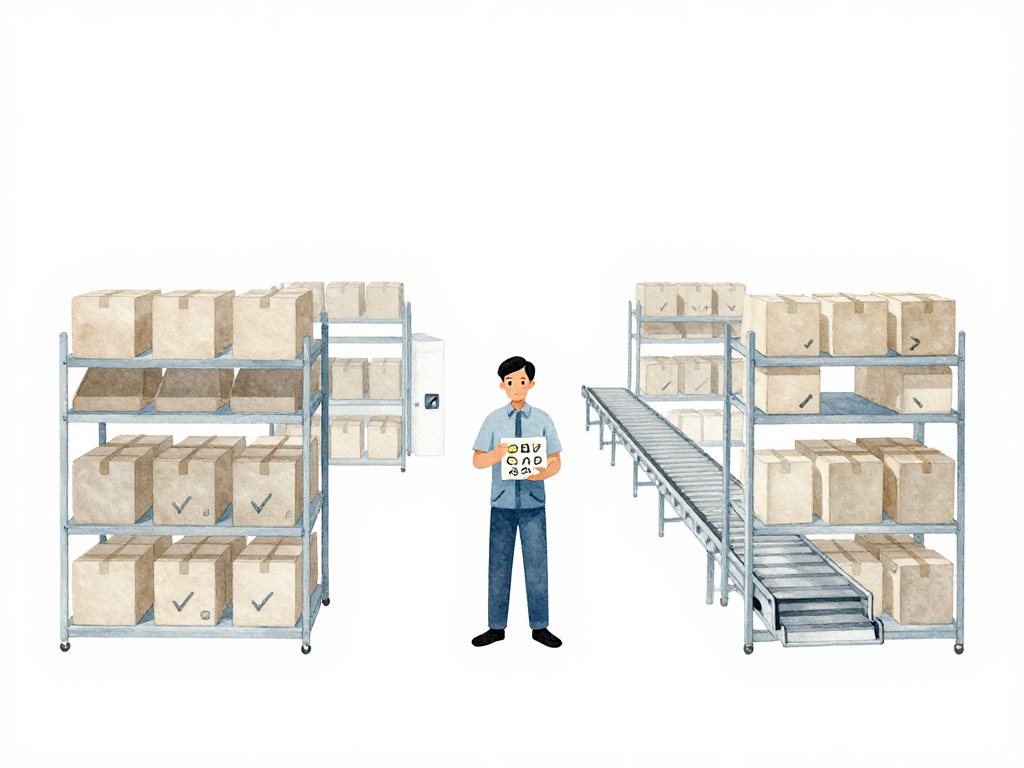
Why Your Pipeline Needs a Proper Artifact Storage Strategy
You have just finished building your application. All tests passed. Security scans found nothing. The build log shows a clean green checkmark. Now it is time to deploy. But when you open the deployment dashboard, you realize you have no idea which artifact to use. The build server already cleaned up its workspace. The developer who ran the build is on leave. The only thing left is a vague memory that "the build was successful."
This scenario is more common than most teams admit. The build works, but the artifact disappears. Or worse, the deployment pipeline rebuilds the artifact from scratch in production, using a different version of a dependency, producing something that was never tested.
The problem is not the build. The problem is that the artifact was treated as a temporary file, not as a verified deliverable that needs to be stored, labeled, and tracked.
What Package and Publish Actually Mean
When your pipeline finishes testing and scanning, it enters a phase that many teams rush through: packaging and publishing. These two steps are what turn a successful build into a reusable asset.
Packaging is the process of converting your verified code into a format that can run in your target environment. The format depends on what you are building:
- For container-based applications, packaging means creating a container image.
- For Java applications, it means producing a JAR or WAR file.
- For JavaScript or Python libraries, it means creating a package that npm or pip can install.
- For infrastructure, it might mean generating a validated Terraform module or CloudFormation template.
Publishing is the act of sending that packaged artifact to a registry or repository where it can be accessed later by deployment pipelines. A registry is not just a storage bucket. It is a structured system that keeps your artifacts organized, versioned, and discoverable.
Here is a minimal YAML snippet that shows how a CI pipeline packages a container image and publishes it with a unique version tag:
- name: Build and tag Docker image
  run: |
    docker build -t myregistry.com/myapp:1.0.0-b20240315-a1b2c3d .

- name: Push image to registry
  run: |
    docker push myregistry.com/myapp:1.0.0-b20240315-a1b2c3d
Container images go to container registries like Docker Hub, Amazon ECR, or Harbor. Application packages go to artifact repositories like Nexus, Artifactory, or GitHub Packages. Infrastructure modules go to module registries or Git repositories with proper tagging.
The One Thing That Makes or Breaks This Phase
Versioning is not optional. Every artifact you publish must have a unique, traceable version. This is not about following semantic versioning because it looks professional. It is about being able to answer one question: "What exactly is running in production right now?"
If your artifact is labeled latest or stable, you cannot answer that question. Those labels change over time. They tell you nothing about the code changes inside. When a bug appears in production and you need to trace it back to the commit that introduced it, a label like latest gives you zero information.
A good version string combines a semantic version with build metadata. Something like 1.2.3-b20240315-a1b2c3d tells you the release number, the build date, and the commit hash. This is enough to trace the artifact back to the exact source code, the exact build job, and the exact test results.
Metadata Is Your Safety Net
A version string alone is useful, but it is not enough. Every published artifact should carry metadata that records:
- The commit hash that triggered the build
- The branch name
- The build number
- The test results summary
- Who triggered the build
For container images, this metadata goes into labels. For package files, it goes into the manifest or a companion metadata file. This metadata turns your artifact from a black box into a documented asset. When someone asks "Did this artifact pass all the required tests?", you can point to the metadata and prove it did.
Why This Matters for Deployment Confidence
Once your artifact is packaged, versioned, and published with metadata, your deployment pipeline can pull it with confidence. The deployment step becomes a simple operation: take artifact version X, deploy it to environment Y.
Without this foundation, deployment becomes guesswork. Teams end up rebuilding artifacts in production environments because the original build output is gone. Rebuilding in production is dangerous. The build might use a different dependency version, a different compiler, or a different base image. The result is an artifact that was never tested, running in an environment where failures hurt the most.
A properly stored artifact eliminates this risk. The artifact that passed all tests is the exact same artifact that gets deployed. No rebuilds. No surprises.
Common Registry Options
You do not need an expensive enterprise solution to get this right. The important thing is to pick a registry that fits your stack and use it consistently.
- Container images: Docker Hub, Amazon ECR, Google Artifact Registry, Harbor, or any OCI-compliant registry.
- Application packages: Nexus, Artifactory, GitHub Packages, GitLab Package Registry, or language-specific registries like npm or PyPI.
- Infrastructure modules: Terraform Cloud, Git with semantic tags, or a dedicated module registry.
The registry itself matters less than how you use it. A simple registry with strict versioning and metadata is better than a sophisticated one where everyone pushes artifacts with random labels.
A Quick Checklist for Your Pipeline
If you are setting up or reviewing your packaging and publishing stage, run through these checks:
- Every artifact has a unique version that includes a commit hash or build number.
- No artifact is published with a label like
latestfor production use. - Metadata (commit hash, branch, build number, test status) is attached to every published artifact.
- The build server does not clean up artifacts immediately after the build finishes.
- The deployment pipeline pulls artifacts from the registry, never rebuilds them.
- The registry has retention policies that prevent accidental deletion of production artifacts.
What Comes Next
With your artifact safely stored and traceable, the next step is deployment. But before you move on, take a moment to verify that your registry is organized well enough to support rollbacks. If you need to revert to a previous version, can you find the exact artifact from last week's deployment? If the answer is no, your storage strategy still has gaps.
A well-stored artifact is the foundation of repeatable, trustworthy deployments. Without it, every deployment carries hidden risk. With it, you can deploy knowing that what you are running is exactly what you tested.