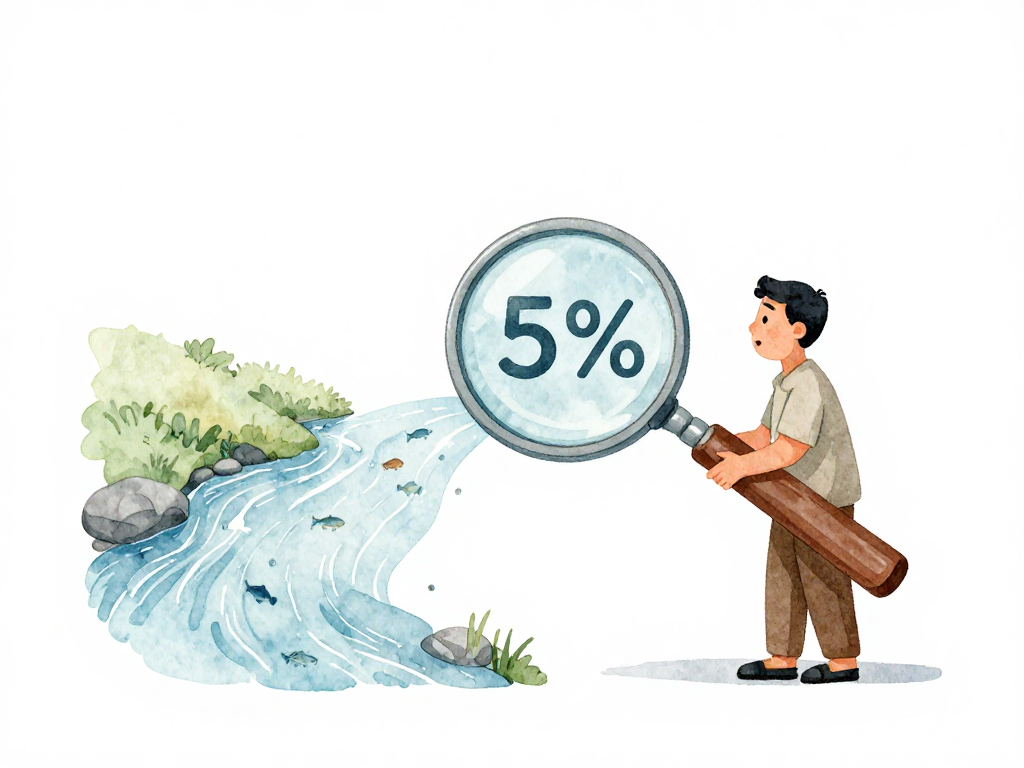
When Five Percent of Traffic Tells You More Than a Staging Environment
A few weeks ago, a team I know deployed a new authentication flow. The staging environment showed green tests, acceptable response times, and no errors. They promoted the build to production, routing all users to the new version within minutes. Thirty minutes later, support tickets started piling up. Users in a specific region could not log in. The staging environment never caught it because it did not have realistic traffic patterns, regional latency, or the mix of devices that production has.
The team rolled back, but the damage was done. Users lost trust, and the team spent the next two days debugging a problem that only appeared under real production conditions.
This is the gap that progressive delivery strategies try to close. Instead of flipping a switch for everyone, you expose a small subset of users or traffic to the new version first. You watch what happens. Then you decide whether to proceed, pause, or roll back.
Two common strategies for this are canary releases and staged rollouts. They sound similar, but they solve different problems. Understanding the difference helps you choose the right approach for each change you ship.
Canary Releases: Let Traffic Decide
A canary release starts by routing a small percentage of traffic to the new version. Imagine your application receives one hundred requests per second. You configure your load balancer or service mesh to send five of those requests to servers running the new version. The remaining ninety-five requests still hit the old version.
You then monitor key signals: error rate, latency, CPU usage, database query performance. If the new version looks healthy after a few minutes, you increase the traffic share to ten percent, then twenty, then fifty, and eventually one hundred percent.
The key idea here is that the split is probabilistic. Any user might end up on the new version if they happen to be the fifth request out of a hundred. Users do not know which version they hit, and they should not care as long as the application works.
Canary releases are useful when you want to validate that a change is stable under real production load. Staging environments are great for catching logic errors, but they cannot replicate the chaos of production: uneven traffic spikes, slow database connections from certain regions, or third-party API rate limits that only appear under load.
This strategy shines for high-risk changes. Major business logic rewrites, database schema migrations, library upgrades that touch networking or concurrency, or changes to caching behavior are all good candidates for canary releases. If something goes wrong, only a small fraction of users are affected, and you can drain traffic from the new version quickly.
Staged Rollouts: Choose Who Gets It First
Staged rollouts take a different approach. Instead of splitting traffic randomly, you decide which groups of users receive the new version first. These groups are often called rings.
Ring one might contain your internal team and a handful of beta testers. Ring two could be a percentage of users in a specific region or with a specific device type. Ring three might be all free-tier users. Ring four could be enterprise customers with strict SLAs.
The rollout progresses through these rings only when the previous ring shows no critical issues. If ring one reports a problem, you pause before expanding. If ring two shows elevated error rates, you roll back before reaching ring three.
The main difference from canary releases is intentionality. You choose who gets the new version, not just how much traffic. This matters when different user groups have different expectations, different usage patterns, or different contractual obligations.
For example, if your application serves both individual users and large enterprise clients with signed SLAs, you probably do not want to accidentally route an enterprise request to a buggy new version. A staged rollout lets you test the change on less critical users first, then expand to high-value customers only after you are confident.
Staged rollouts also work well for mobile app releases. You cannot easily control traffic at the network level for mobile apps. Instead, you release the update to a small percentage of users through the app store's staged rollout feature, monitor crash reports and ratings, then expand to more users.
Combining Both Strategies
In practice, canary releases and staged rollouts are not mutually exclusive. Many teams combine them into a single progressive delivery pipeline.
The diagram below shows the two strategies side by side and how they can be chained together.
The pipeline might start with a canary release at five percent traffic to validate technical stability. If the canary passes, the pipeline moves to a staged rollout: first to internal users, then to beta users, then to a percentage of production users, and finally to everyone.
This combined approach gives you both safety layers. The canary catches infrastructure-level problems like memory leaks or slow database queries. The staged rollout catches user-facing problems like broken workflows for specific account types or regions.
A well-designed progressive delivery pipeline can automate these decisions. It monitors the metrics you define, compares them against thresholds, and either proceeds to the next step, holds the rollout for manual review, or triggers an automatic rollback.
What You Need Before You Start
Progressive delivery strategies are only as useful as the data you use to make decisions. Without good observability, a canary release is just a slower way to break production.
You need:
- Real-time error rate monitoring, broken down by version
- Latency percentiles for the new version compared to the old one
- Business metrics that matter to your product, like conversion rate or signup completion
- A way to correlate user reports with the version they are running
You also need the ability to roll back quickly. If the canary shows problems, you should be able to drain traffic from the new version in seconds, not hours. This requires infrastructure that supports traffic shifting, like a load balancer, service mesh, or feature flag system.
A Quick Practical Checklist
If you are setting up progressive delivery for the first time, here is a short list to guide your implementation:
- Start with one strategy. Pick canary releases if you care about technical stability under production load. Pick staged rollouts if you need to control which users see the change first.
- Define clear go/no-go criteria before you start. What error rate is acceptable? What latency increase is too much? Write these thresholds down and configure them in your pipeline.
- Make sure your monitoring covers both technical metrics and business metrics. A canary might show zero errors but still break your checkout flow if users cannot complete purchases.
- Practice the rollback. Do not wait until something breaks to find out that your traffic shifting takes ten minutes.
- Combine strategies only after you are comfortable with each one individually. A combined pipeline adds complexity, and you want to understand each layer before stacking them.
The Concrete Takeaway
Canary releases and staged rollouts are not about being cautious for the sake of caution. They are about learning what production actually does to your code before it reaches everyone. A staging environment gives you confidence in your tests. A canary or staged rollout gives you confidence in reality.
Start with one strategy, instrument your metrics, and let the data tell you when to proceed. The goal is not to eliminate risk entirely. The goal is to contain risk to a small group of users, learn from it, and expand only when you are sure.