When You Want Real Feedback Before Going All In
Your team has built a new recommendation engine. It looks great in staging. Tests pass. The product team is excited. But somewhere in the back of your mind, you know staging traffic is nothing like the real thing. Users have weird data, unusual patterns, and they do things nobody expected.
You could deploy it to everyone at once. But if something is wrong, every single user will feel it. You could do a blue/green swap and roll back fast if needed. But you still wouldn't know how the new version behaves under real load until everyone is on it.
What you really want is a way to let a small group of users test the new version first, while everyone else stays on the old one. If something breaks, only a handful of people are affected. If it works, you can gradually let more people in.
That is canary deployment.
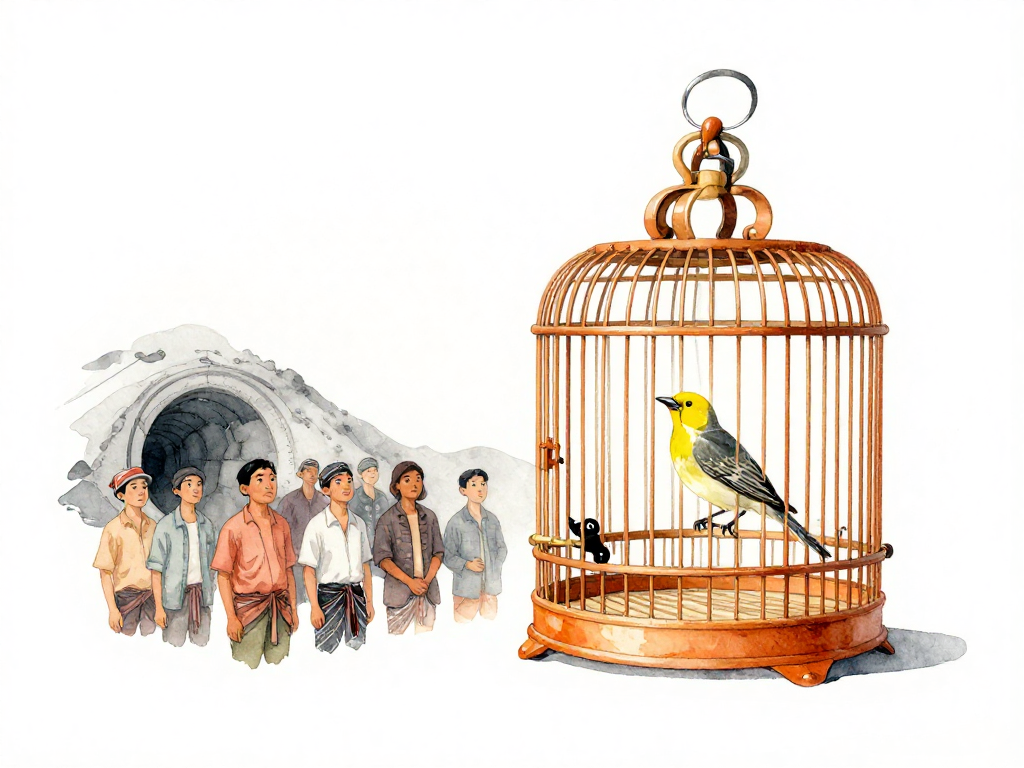
The Name Comes From Coal Mines
In the early days of coal mining, workers would bring canaries into tunnels. These birds are sensitive to toxic gases like carbon monoxide. If the canary stopped singing or died, miners knew danger was present and could evacuate before it was too late.
Canary deployment works the same way. You introduce a new version of your application to a small subset of users first. If the new version has problems, only those few users are affected, and you can pull it back quickly. If it behaves well, you expand the audience gradually.
The canary is not the new version itself. The canary is the small group of users who test it for you.
How It Works in Practice
Imagine your application runs on Kubernetes with ten pods. Normally, all ten pods serve all users. With canary deployment, you spin up one or two pods running the new version. Then you route a small percentage of traffic -- say 5% or 10% -- to those new pods. The remaining traffic still goes to the old version.
During this period, your team watches key metrics: error rates, response times, throughput, and any user reports. If the new version looks healthy after some time, you increase the traffic percentage. If something goes wrong, you redirect all traffic back to the old version.
The following flowchart illustrates the decision process:
This is different from a rolling update. In a rolling update, you replace instances one by one without controlling which users hit the new version. Anyone who happens to land on an updated instance gets the new code immediately. Canary deployment gives you explicit control over how much traffic reaches the new version, and you can change that percentage at any moment.
Where Traffic Splitting Happens
The mechanism for splitting traffic depends on your infrastructure stack.
At the network layer, load balancers like HAProxy or NGINX can route a percentage of requests to the new version. This is simple and works for most setups.
At the service mesh layer, tools like Istio or Linkerd give you finer control. You can split traffic based on HTTP headers, cookies, or specific user attributes. This allows you to target internal testers, beta users, or users from a particular region without affecting everyone else.
Some applications even implement traffic splitting in their own code. The application itself decides which version to serve based on user ID or account type. This approach gives maximum flexibility but adds complexity to the codebase.
When Canary Deployment Shines
Canary deployment is most useful for changes with medium to high risk. These are changes that are hard to validate fully in staging because staging data and traffic patterns never match production exactly.
Examples include:
- Replacing a recommendation algorithm
- Updating payment logic
- Changing how the application communicates with the database
- Introducing a new caching layer
- Modifying authentication or authorization flows
For these kinds of changes, canary deployment gives you confidence through real-world validation. You see how the new version behaves with actual user data, actual traffic patterns, and actual infrastructure conditions -- but only on a small subset of users.
The Real Challenges
Canary deployment is not a magic bullet. It comes with its own set of requirements and risks.
You need good observability. Without dashboards that compare error rates, latency, and throughput between the old and new versions, you are flying blind. You need to know, within minutes, whether the canary group is experiencing more errors or slower responses than the control group.
Some users will have a different experience. If the new version is worse, those users will feel it first. This is the trade-off you accept for getting early feedback. Make sure the canary group is small enough that the impact is acceptable if things go wrong.
Session and state management gets tricky. If your application maintains user sessions or state, traffic splitting can break those sessions. A user might start a request on the old version and end up on the new version for the next request. You need to ensure that session data is compatible or that traffic splitting respects session affinity.
Observability itself can be a challenge. If your monitoring tools aggregate metrics across all instances, you won't be able to distinguish between the old and new versions. You need metrics tagged by version or deployment label.
Automating the Safety Net
Many teams combine canary deployment with automated observation. Instead of having someone watch dashboards constantly, you set thresholds. If the error rate of the new version exceeds 1% above the old version, the pipeline automatically stops the canary and redirects all traffic back to the old version.
This automation makes canary deployment much safer. The system protects itself without waiting for a human to notice a problem, investigate, and decide to roll back.
Gradual Expansion
Once the new version looks stable -- say after one hour without issues -- you increase the traffic percentage step by step. Common steps are 25%, 50%, then 100%. At each step, you monitor the same metrics and confirm nothing has changed.
When all traffic is on the new version, the canary deployment is complete. The old version can be scaled down and removed.
A Quick Practical Checklist
Before implementing canary deployment, make sure these pieces are in place:
- Traffic splitting mechanism (load balancer, service mesh, or application logic)
- Metrics tagged by version (error rate, latency, throughput)
- Dashboard comparing old vs new version metrics in real time
- Automated rollback threshold (e.g., error rate increase > 1%)
- Session affinity or state compatibility between versions
- Communication plan for the canary group (if users are identifiable)
The Concrete Takeaway
Canary deployment is not about fancy tooling or complex configurations. It is about reducing the blast radius of change. You let a small group of real users validate your work under real conditions before you commit everyone else. The technique works because it embraces a simple truth: no matter how good your staging environment is, production always finds something you missed. Canary deployment makes sure that when production finds that thing, only a few users are affected, not all of them.