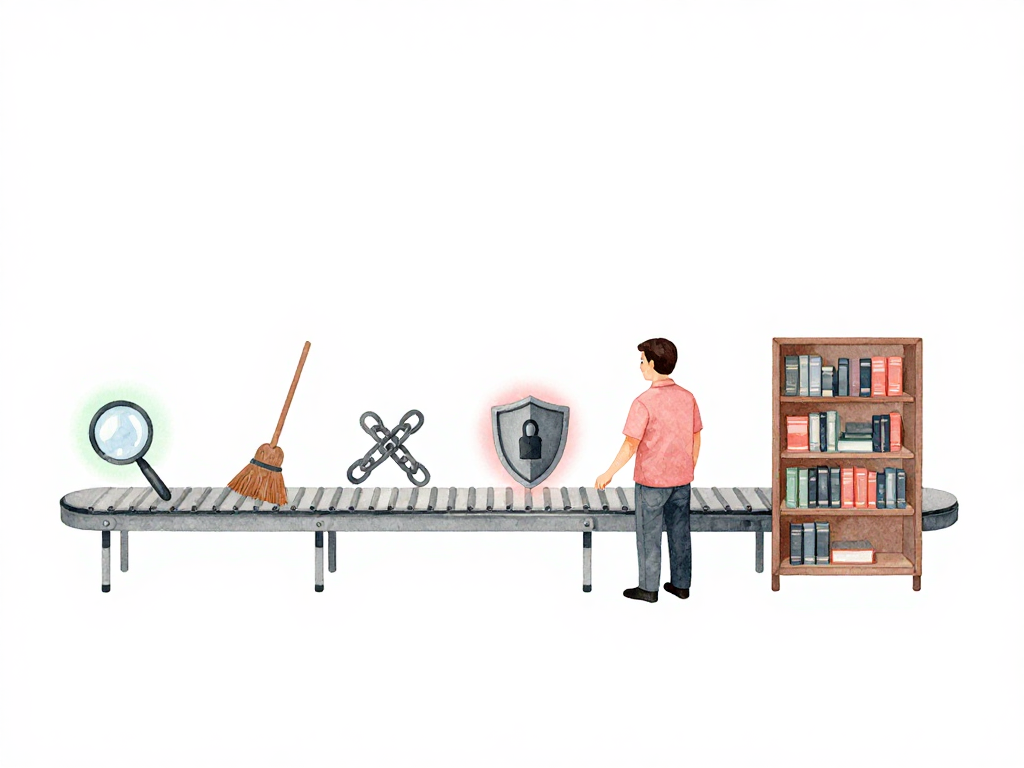
What Happens to Your Code Before It Reaches Production
You just finished a feature. You run it locally, it works, you push the code. Now what?
Between that push and the moment your code runs in production, a lot needs to happen. Not just building the artifact, but checking whether the code is actually safe, correct, and maintainable. If you skip these checks, you're gambling that every developer on the team writes perfect code every time. Nobody does.
The process of running automated checks every time someone pushes code is called continuous integration, or CI. The idea is simple: catch problems early, when they're cheap to fix. A bug found five minutes after a push costs a coffee. A bug found in production costs an incident report, a rollback, and a late night.
Start With Unit Tests
The first thing most pipelines run is unit tests. But what counts as a unit test matters more than most teams realize.
A good unit test doesn't test a single function or method just because it exists. It tests a meaningful behavior from a relevant entry point. For a backend service, that entry point is usually an API endpoint or a use case. The test calls that endpoint, and checks whether the response matches what you expect. Behind the scenes, the request flows through the controller, the service layer, domain logic, and the repository boundary. The internal application path runs for real; external services such as production databases, message queues, and third-party APIs are replaced with controlled test doubles, local test instances, mocks, or stubs.
This approach has a practical advantage: you can change the internal implementation of a function without breaking the test. The test cares about what the system does, not how it does it. That means you can refactor freely, as long as the behavior stays the same.
Unit tests should be fast. If they take more than a few seconds, something is off. Because they're fast, you can run them on every commit. That gives developers immediate feedback: "Your change broke something, fix it now."
Linting Catches Style and Smells
After unit tests pass, the next check is usually linting. Linting doesn't test logic. It checks whether the code follows consistent style rules and whether there are patterns that often lead to bugs.
A linter will catch things like:
- A variable declared but never used
- A function that's too long and should be split
- Inconsistent indentation or naming
- Potentially unsafe patterns that look correct but aren't
Linting might feel like a minor concern compared to correctness, but it matters more than you think. Code that looks consistent is easier to read. Code that's easier to read is easier to review. Code that's easier to review has fewer bugs. It's a chain that starts with a simple automated check.
Integration Tests Check the Connections
Unit tests prove that application behavior works while external neighbors are controlled. Integration tests prove that the application can work with real dependencies.
For a backend service, an integration test might spin up a real test database, start the service, and verify that an API call actually reads and writes data correctly. Or it might test that a background worker can send a message to a queue and process the response.
Integration tests are slower than unit tests. They need real dependencies: a database, a queue, maybe a cache. That's why they run after unit tests, not before. If a unit test fails, there's no point running integration tests. The change is already broken.
Some teams run integration tests against a dedicated test environment that mirrors production as closely as possible. Others run them inside the CI pipeline using containers. Either way, the goal is the same: catch problems that only appear when components interact.
Security Scans Look for Vulnerabilities in Your Code
Security scanning checks the code you wrote for common vulnerabilities. Things like SQL injection, cross-site scripting, or using cryptographic functions incorrectly.
These scans are automated tools that look for patterns known to be dangerous. They're not perfect. They can miss things, and they can produce false positives. But they catch the low-hanging fruit that human reviewers might overlook.
A vulnerability found during CI costs a ticket and a fix. A vulnerability found in production costs a breach, a disclosure, and a lot of trust.
Dependency Checks Look for Vulnerabilities in Your Libraries
Almost no backend service is written from scratch. You use frameworks, libraries, and packages. Each one of those is code written by someone else, and that code can have vulnerabilities.
Dependency checking compares the versions of your libraries against public vulnerability databases. If a library you use has a known security issue, the check flags it. Some teams configure the pipeline to block the build if a critical vulnerability is found. Others let it pass but notify the team for manual review.
This check matters because vulnerabilities in dependencies are common and often severe. The Log4j incident in 2021 is a well-known example: a widely used logging library had a vulnerability that allowed remote code execution. Teams that had dependency checking in their pipeline found out quickly. Teams that didn't spent days figuring out what they were using.
The Order of Checks Matters
The sequence of these checks is not random. It follows a practical logic:
The diagram below shows the pipeline flow and which checks block the build.
Here is a minimal GitHub Actions workflow that enforces this order:
name: CI Pipeline

on: [push]

jobs:
  lint:
    runs-on: ubuntu-latest
    steps:
      - run: npm run lint

  unit-test:
    needs: lint
    runs-on: ubuntu-latest
    steps:
      - run: npm test -- --coverage

  integration-test:
    needs: unit-test
    runs-on: ubuntu-latest
    services:
      postgres:
        image: postgres:16
    steps:
      - run: npm run test:integration

  security-scan:
    needs: integration-test
    runs-on: ubuntu-latest
    steps:
      - run: npm run audit

  dependency-check:
    needs: security-scan
    runs-on: ubuntu-latest
    steps:
      - run: npm audit --audit-level=high
- Unit tests and linting run first because they're fast. They filter out obviously broken or messy changes immediately.
- Integration tests run next. They're slower but still important. If unit tests pass but integration tests fail, you know the components don't work together.
- Security scans and dependency checks run last. They're often the slowest, and they're less likely to fail on a typical change.
This order gives developers fast feedback for common problems. If you break a unit test, you know within seconds. If you introduce a vulnerable dependency, you find out within minutes, not days.
Not Every Check Must Block the Pipeline
Some teams run all checks as blocking: if any check fails, the pipeline stops, and the artifact is not built. Other teams allow certain checks to pass with warnings, especially security scans that might produce false positives.
The important thing is consistency. Every change goes through the same checks. Quality doesn't depend on whether a developer remembered to run tests locally. It depends on the pipeline.
A Practical Checklist for Your CI Pipeline
If you're setting up or reviewing a CI pipeline for a backend service, here's a short checklist:
- Unit tests run on every commit and complete in under a minute
- Linting runs before or alongside unit tests
- Integration tests run against real dependencies in a controlled environment
- Security scanning checks your own code for common vulnerabilities
- Dependency checking compares your libraries against known vulnerability databases
- The pipeline fails fast: quick checks run first, slower checks run later
- Every change goes through the same checks, regardless of who wrote it
What Comes Next
Once all these checks pass, the artifact is built and ready. But getting the artifact built is only half the story. The next question is how to put that new version onto servers without disrupting users. That's where deployment strategies come in, and that's what we'll cover next.
For now, the takeaway is this: the quality of your production system is determined long before it reaches production. It's determined in the minutes after every push, when automated checks decide whether your code is safe to proceed. Make those checks fast, make them consistent, and make them run every single time.