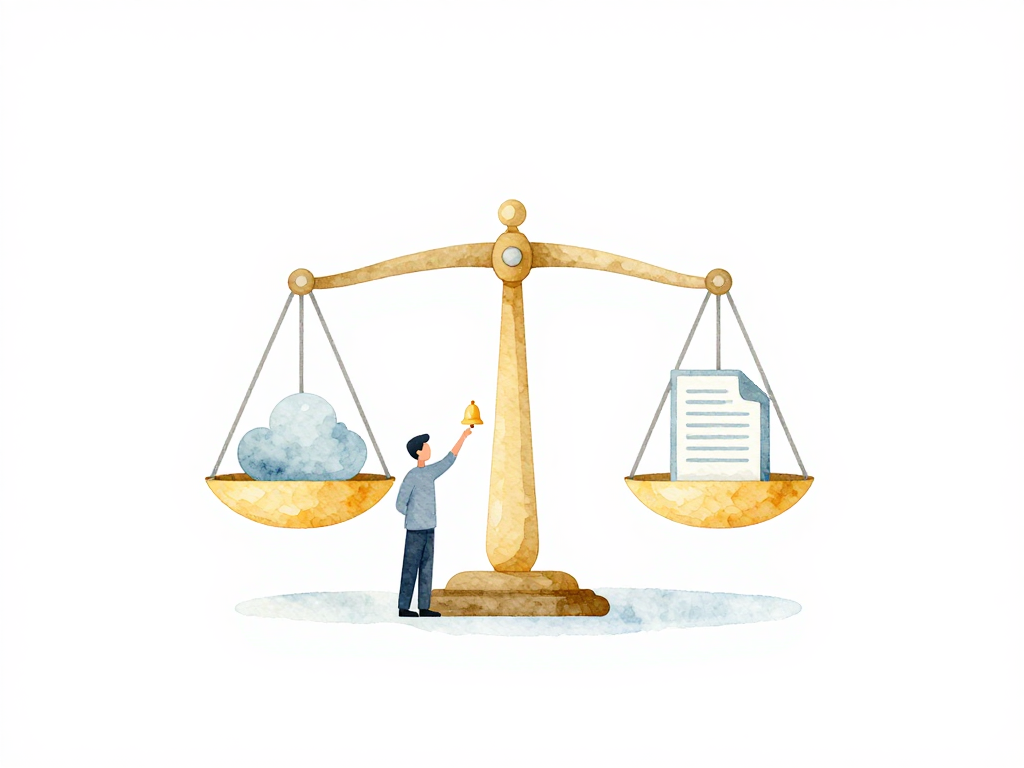
When Your Cloud Console and IaC Code Disagree: Detecting Infrastructure Drift Automatically
You have been managing infrastructure through Terraform for months. Everything is defined in code, reviewed through pull requests, and deployed through pipelines. One day, a team member needs to fix a quick configuration issue. Instead of going through the pipeline, they log into the cloud console, change a security group rule manually, and move on. The change works. No one thinks about it again.
Weeks later, you run a new deployment. Terraform plans to revert that security group change because the code still has the old definition. If you apply it, the change that someone deliberately made will be overwritten. If you skip it, your code no longer matches reality. You now have infrastructure drift.
Drift is the gap between what your infrastructure code says should exist and what actually exists in your cloud environment. It is not a theoretical problem. It happens in every team that manages infrastructure at scale. The question is not whether drift will occur, but how quickly you will find it.
Why Manual Drift Detection Fails
You can technically detect drift by opening your cloud console, inspecting each resource, and comparing it with your IaC code. This works when you manage five resources. It stops working when you manage fifty, five hundred, or five thousand.
Manual detection has three problems. First, it is slow. A single comparison might take minutes. Multiply that by hundreds of resources, and you are spending hours on something that should be automated. Second, it is unreliable. Human eyes miss small differences, especially when resources have dozens of configuration fields. Third, it is inconsistent. Different team members might check different things, or forget to check at all.
The real issue is timing. Drift can happen at any moment. A manual check once a week means you might live with an undetected change for days. If that change introduces a security vulnerability or breaks a dependency, you will find out the hard way during the next incident.
How Automated Drift Detection Works
Automated drift detection follows a simple principle: run a comparison between your actual infrastructure state and your IaC definitions on a regular schedule. This process is called a drift scan. A drift scan does not change anything. It only finds differences and reports them.
The most common approach uses the same tools you already use to manage infrastructure. Terraform, for example, has a plan command that compares your state file with actual cloud resources. Your state file is a record that Terraform keeps locally or remotely, storing what resources have been created and their current configuration. When you run terraform plan without changing any code, the tool checks whether the state file matches what actually exists in the cloud. If someone modified a resource directly in the console, the plan will show that as a change that Terraform wants to make.
This is the foundation of drift detection: run plan periodically and check for unexpected changes.
Here is a minimal bash script that runs a drift scan and alerts your team when drift is found:
#!/bin/bash
# drift-scan.sh - Run a Terraform drift scan and notify on changes

set -euo pipefail

cd /path/to/terraform/project

terraform init -input=false

# Refresh state from live resources, then plan with detailed exit code
terraform plan -refresh-only -detailed-exitcode -out=drift.tfplan
PLAN_EXIT_CODE=$?

if [ $PLAN_EXIT_CODE -eq 2 ]; then
    # Exit code 2 means there are changes (drift detected)
    echo "Drift detected in $(date)"

    # Generate a human-readable summary
    terraform show drift.tfplan > drift-summary.txt

    # Send notification to Slack (adjust webhook URL)
    curl -X POST -H 'Content-type: application/json' \
        --data "{\"text\":\"🚨 Drift detected in production!\n$(cat drift-summary.txt)\"}" \
        https://hooks.slack.com/services/YOUR/WEBHOOK/URL
elif [ $PLAN_EXIT_CODE -eq 1 ]; then
    echo "Error during plan execution"
    exit 1
else
    echo "No drift detected"
fi
This script can be triggered by a cron job or a scheduled CI/CD pipeline to run every few hours.
The following flowchart shows the complete drift detection cycle:
Beyond Basic Plan: Getting Accurate Results
There is a subtle but important detail here. A standard terraform plan compares the state file with actual resources. But what if the state file itself is outdated? If someone made a change in the console, the state file might not reflect it. The plan would not detect the drift because it is comparing two things that are both out of sync.
Some tools handle this better. Terraform Cloud and OpenTofu offer drift detection that goes deeper. Instead of just comparing state to resources, they first refresh the state by pulling the actual configuration from the cloud, then compare that refreshed state against your code. This gives you a comparison from code to actual resources, not from state to resources. The result is more accurate because it catches changes that happened outside the state file entirely.
This distinction matters. If you rely only on basic plan output, you might miss drift that was introduced before the state file was last updated. A proper drift scan should always start by refreshing the state from the live environment.
Scheduling and Notification
A drift scan needs to run on a schedule. How often depends on how frequently changes happen outside your pipeline. Teams that manage critical production infrastructure often run scans every few hours. Teams with less activity might run them once daily. The key is consistency: the scan must run automatically without human intervention.
You can schedule scans using a cron job on your CI/CD server, a scheduled pipeline trigger, or a built-in scheduler from your IaC tool. The important thing is that the schedule is reliable and does not depend on someone remembering to run it.
When drift is detected, the next step is notification. Automated alerts should go to your team's communication channel, whether that is Slack, email, or a ticketing system. A good notification includes three things: which resource drifted, what changed, and when it was detected. If your cloud provider logs who made the change, include that information too. It speeds up investigation significantly.
What Happens After Detection
Finding drift is only the first step. Once you know it exists, you have two options.
The first option is reconciliation: bring the resource back to the state defined in your code. This is the default response for most teams. You run terraform apply or your equivalent, and the tool reverts the manual change. This works well when the drift was accidental or unauthorized.
The second option is acceptance: the manual change was intentional and should stay. In this case, you update your IaC code to match the actual state. This is the right choice when the change was a legitimate fix that was done quickly in the console, and the code needs to catch up. The danger is that if you do this too often, your code stops being the source of truth and becomes a historical record instead.
The decision between reconciliation and acceptance depends on your team's policy. Some teams always reconcile unless there is a documented exception. Others allow acceptance but require a follow-up pull request within a defined timeframe. What matters is that the decision is deliberate, not accidental.
Practical Checklist for Automated Drift Detection
If you are setting up drift detection for the first time, here is a short checklist to get started:
- Choose your detection tool: Use your existing IaC tool's built-in drift detection or a dedicated tool like Terraform Cloud, OpenTofu, or a custom script that runs plan periodically.
- Set a scan schedule: Start with once daily for non-critical environments and every few hours for production. Adjust based on how often manual changes happen.
- Configure notifications: Send alerts to your team chat or ticketing system. Include resource name, the specific change, and timestamp.
- Define a response policy: Decide whether to reconcile or accept drift. Document the process so everyone on the team follows the same approach.
- Test the process: Introduce a deliberate manual change in a staging environment, let the scan catch it, and verify that the notification and response work as expected.
The Concrete Takeaway
Infrastructure drift is not a sign of a bad team. It is a sign that your team is moving fast and occasionally taking shortcuts. The problem is not the shortcut itself. The problem is not knowing about it until it causes an incident.
Automated drift detection turns an invisible problem into a visible one. It does not prevent people from making changes in the console. It ensures that when they do, the rest of the team finds out quickly and can decide what to do next. That visibility is what keeps your infrastructure reliable, even when the code and the cloud do not agree.