When Your Mobile App Breaks Because Users Won't Update
You push a new backend endpoint. The latest app version handles it perfectly. Everything looks green in your CI/CD pipeline. Then the crash reports start coming in.
Users on older app versions are hitting the same endpoint, but their app can't parse the new response format. They get a blank screen, a crash, or worse—silent data loss. You didn't change the backend for everyone. You changed it for the latest app version. But the backend doesn't discriminate. It serves the same response to every client that asks.
This is the hidden cost of mobile delivery. Unlike web apps where you control the client, mobile apps live on devices you don't own. Users decide when to update. Some update immediately. Some wait weeks. Some are still running a version you shipped six months ago. And your backend keeps evolving in the meantime.
The Version Gap Problem
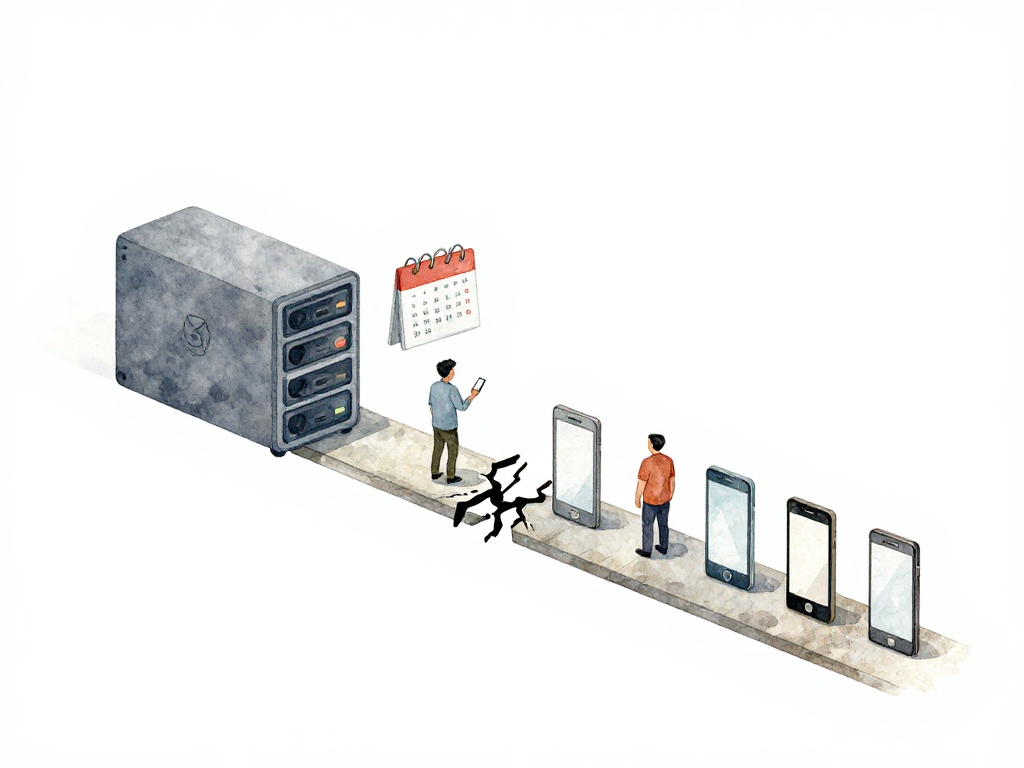
The core tension is simple: backend changes continuously, but mobile clients update on their own schedule. Every time you add a new endpoint, modify a response structure, or deprecate a field, you create a potential breaking point for older app versions.
The following sequence diagram shows how a backend change can break older app versions while newer versions work fine:
Most teams don't realize this until production breaks. They test the latest app against the latest backend, everything passes, and they ship. But the test suite never ran the old app against the new backend. That combination is invisible until real users hit it.
The problem gets worse as your user base grows. More users means more versions in the wild. Each version has its own expectations about what the backend should return. Your backend needs to satisfy all of them simultaneously, at least for a while.
Know What Versions Are Out There
Before you can manage compatibility, you need visibility. The app stores give you some data—Google Play Console and App Store Connect both show version distribution. But that data is delayed and aggregated. It tells you what users installed, not what they're actively using.
A better approach: send the app version with every request. Add a custom header like X-App-Version or encode it in your User-Agent string. Your backend logs this information, and you can aggregate it into a dashboard showing real-time version adoption.
This data answers critical questions:
- What percentage of active users are on each version?
- How fast are users adopting the latest release?
- Which old versions still have significant traffic?
- When can you safely drop support for a legacy version?
Without this data, you're making decisions blind. You might deprecate a version that still has 30% active users, or keep supporting a version that only 2% use.
Keep the Backend Compatible
The standard approach is backward compatibility. When you change an endpoint, don't remove the old response format immediately. Add the new fields alongside the old ones, or version your API endpoints explicitly.
For example, instead of modifying /api/orders, create /api/v2/orders and keep /api/v1/orders running. Your latest app talks to v2, older apps keep using v1. This gives users time to upgrade without breaking their experience.
But backward compatibility has limits. You can't maintain five versions of every endpoint forever. The cost grows with each version you support. At some point, you need to cut off old versions.
That's where your version monitoring becomes essential. When the data shows that a legacy version has dropped below an acceptable threshold—say 5% of active users—you can announce deprecation. Send an in-app notification asking users to update. Give them a deadline. After that date, the old endpoint stops working.
Force Updates When Necessary
Sometimes you can't wait for gradual adoption. Security patches, critical bug fixes, or regulatory changes may require immediate updates. In those cases, you need a mechanism to force users to upgrade.
The pattern is simple: your backend checks the X-App-Version header on each request. If the version is below a minimum threshold, the backend returns a special response code or payload. The app detects this and shows a mandatory update screen. The user can't proceed until they download the latest version from the store.
This is a blunt instrument. Use it sparingly. Every forced update creates friction and risks negative reviews. But when you need it, it's better than leaving users on a vulnerable or broken version.
Use Remote Config as a Safety Net
Remote config gives you a middle ground between full compatibility and forced updates. Instead of changing code, you change configuration from the server. The app fetches this configuration periodically—URLs, timeouts, feature toggles, endpoint versions—without requiring a store update.
Here's how it helps with compatibility problems. Suppose your latest app version has a bug that only appears with a specific backend endpoint. You can't fix the app quickly because a store review takes days. But you can change the remote config to point that app version to an older, stable endpoint. The bug disappears without a single line of code changed.
Remote config also helps during gradual rollouts. If you notice that users on version 4.2 are crashing on a new feature, you can disable that feature for version 4.2 only, while keeping it active for version 4.3. The configuration is version-aware, so each app version gets the behavior it can handle.
Here's what a version-aware remote config payload might look like:
{
  "config": {
    "new_checkout_flow": {
      "enabled": true,
      "disabled_versions": ["4.2.0", "4.2.1"]
    },
    "api_base_url": "https://api.example.com/v2",
    "legacy_api_base_url": "https://api.example.com/v1",
    "timeout_ms": 10000
  },
  "flags": {
    "dark_mode": true,
    "experimental_search": false
  }
}
The app reads the disabled_versions list and skips the new checkout flow for versions 4.2.0 and 4.2.1, falling back to the old flow. No app update needed.
Feature Flags for Emergency Recovery
Feature flags work similarly but focus on toggling functionality rather than configuration values. When a new feature causes problems in production, you flip the flag off from your dashboard. The feature disappears from the app. Users don't see it, don't crash on it, and don't complain about it.
The advantage over remote config is granularity. You can target specific user segments, regions, or app versions. You can ramp up gradually. You can A/B test. And when something goes wrong, you can kill the feature instantly without a new release.
Feature flags are especially valuable for mobile because they decouple deployment from release. You can ship code that's hidden behind a flag, activate it when you're ready, and deactivate it if things go south. The app doesn't need to change. The flag server handles everything.
Practical Checklist for Version Management
- Send app version with every request via a custom header
- Build a dashboard showing real-time version distribution
- Keep old API endpoints running until legacy versions drop below 5% usage
- Set a minimum supported version and enforce it with a force-update mechanism
- Implement remote config for server-side behavior changes without app updates
- Use feature flags to disable problematic features instantly
- Announce deprecation deadlines through in-app notifications before cutting support
The Takeaway
Mobile delivery doesn't end when the build is signed and uploaded to the store. It ends when every user is on a version that works with your current backend. That can take weeks or months. During that time, your backend will change, and every change is a potential break for someone still running an old version.
Monitor your version distribution. Keep backward compatibility as long as it's practical. Use remote config and feature flags to buy time when things go wrong. And when you must force an update, do it deliberately, not reactively.
The goal isn't to eliminate version fragmentation—that's impossible. The goal is to know what's out there, keep it working, and have a plan for when it doesn't.