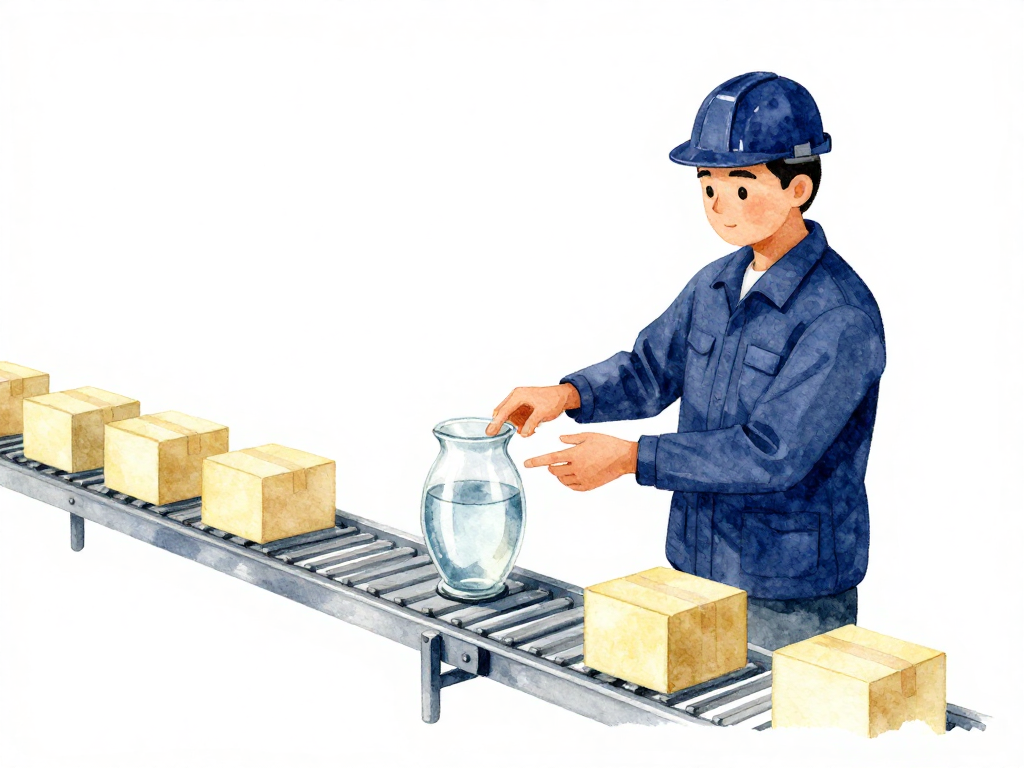
Why Your Database Needs Its Own CI/CD Pipeline
You're working on an application that real people use every day. When a new feature needs to ship, you change some code, push it through the pipeline, and a new version deploys to production. If something goes wrong, you roll back to the previous version, and everything returns to normal within minutes. The process feels smooth because your application doesn't carry any important data inside its own code.
Now imagine you need to add one column to the user table. On your laptop, you run ALTER TABLE user ADD COLUMN ... and it's done. But in production, that table holds millions of rows of real user data. Applications are reading and writing to it every second. Some queries might break if the new column changes the index structure. Database connections could time out if the alter operation runs too long.
This is the fundamental difference that makes database changes fundamentally different from application changes. And it's why treating database migrations like regular code deployments will eventually cause real problems.
Stateless vs Stateful: The Core Difference
Applications are stateless. You can kill an instance, replace it with a new one, or roll back to an older version without losing anything. The code doesn't care who used it before. Each deployment is a clean swap.
Databases are stateful. They hold data that must remain intact, consistent, and accessible to active users. The schema is a contract between your application and your data. When that contract changes suddenly or incorrectly, data can get corrupted, applications can start throwing errors, and users can lose access.
This difference changes everything about how you handle changes. A typical application pipeline checks whether the code builds, whether tests pass, and then deploys. A database pipeline needs to answer harder questions:
- Is this schema change compatible with the application version currently running?
- Will this operation lock the table for too long?
- Will existing data still be readable after the change?
- If something fails halfway through, how do you get back to a safe state without losing data?
The Timing Problem
Application pipelines can run anytime, even multiple times a day. You push code, the pipeline runs, and a new version is live. The whole process takes minutes.
Database pipelines often need to run at specific times. Maybe during low traffic hours. Maybe after confirming no long-running transactions are in progress. Maybe only after a manual approval from someone who understands the production workload.
If an application pipeline fails, you redeploy the previous version. Simple. If a database pipeline fails halfway through a migration, you end up with a partial migration: half the changes applied, half not. This is one of the trickiest problems to handle, and it requires careful planning before you ever run the pipeline.
Compatibility Is Not Optional
When you deploy a new version of your application, it expects a certain database schema. When you run a migration, it changes that schema. If the two aren't aligned, things break.
The challenge is that during a deployment, both the old and new versions of your application might be running simultaneously. Blue-green deployments, canary releases, and rolling updates all create a window where multiple application versions are active. Your database schema needs to be compatible with all of them at the same time.
This means you can't just add a column and immediately start using it in the same deployment. You need a multi-step approach: first add the column without using it, deploy the application, then start using the column in a later deployment. This backward-compatible migration pattern is essential for zero-downtime deployments, and it requires coordination between your application pipeline and your database pipeline.
Why Separate Pipelines
You might be tempted to include database migrations as a step inside your application pipeline. After all, they're both part of delivering a feature. But mixing them creates several problems:
The following flowchart shows how the two pipelines diverge in complexity and safety checks:
Your application pipeline runs on every code change. Database migrations should only run when the schema actually changes. Running unnecessary migrations adds risk and slows down deployments.
Application rollbacks are simple. Database rollbacks are not. If your pipeline bundles both, rolling back the application might also roll back a database change that would cause data loss.
Application pipelines are fast. Database migrations can be slow, especially on large tables. A slow migration can block your entire deployment pipeline, holding up other changes that don't even touch the database.
Application pipelines assume stateless environments. Database pipelines need to understand the current state of the schema, the data volume, and the production workload. These are fundamentally different concerns.
What a Good Database Pipeline Looks Like
A well-designed database pipeline doesn't need to be complicated. It just needs to respect the nature of stateful systems. Here's what it should do:
Run every migration as a repeatable script that can be reviewed, tested, and executed consistently. Each migration should be a single file with a clear version number, containing both the forward and backward steps.
Test migrations against a database that closely resembles production. Not just in schema, but in data volume and structure. A migration that runs in one second on an empty test database might take twenty minutes on production.
Run migrations in a controlled order, one at a time. Never batch multiple schema changes into a single operation. Each migration should be small, focused, and reversible.
Verify the result after each migration. Check that the schema matches expectations, that indexes are in place, and that existing data is intact.
Provide a clear path forward or backward when something goes wrong. This means having tested rollback scripts, knowing how long they take, and understanding what data might be affected.
Practical Checklist for Your Database Pipeline
Before you set up your database pipeline, make sure you can answer these questions:
- Can each migration run independently, or does it depend on other migrations running first?
- Is each migration reversible, and have you tested the rollback?
- Does the migration work with the current application version and the next one?
- How long will the migration take on your production data volume?
- Will the migration lock tables, and if so, for how long?
- What happens if the migration fails halfway through?
- Who needs to approve running this migration in production?
- At what time of day should this migration run?
- How will you verify the migration succeeded?
The Takeaway
Database changes are not code changes. They operate on live data, affect active users, and carry real risk. Treating them like application code will eventually cause downtime, data issues, or both. A separate pipeline for database changes gives you the control, safety, and predictability you need. It doesn't have to be complex. It just has to be designed for the thing it's managing: stateful, long-lived data that people depend on.