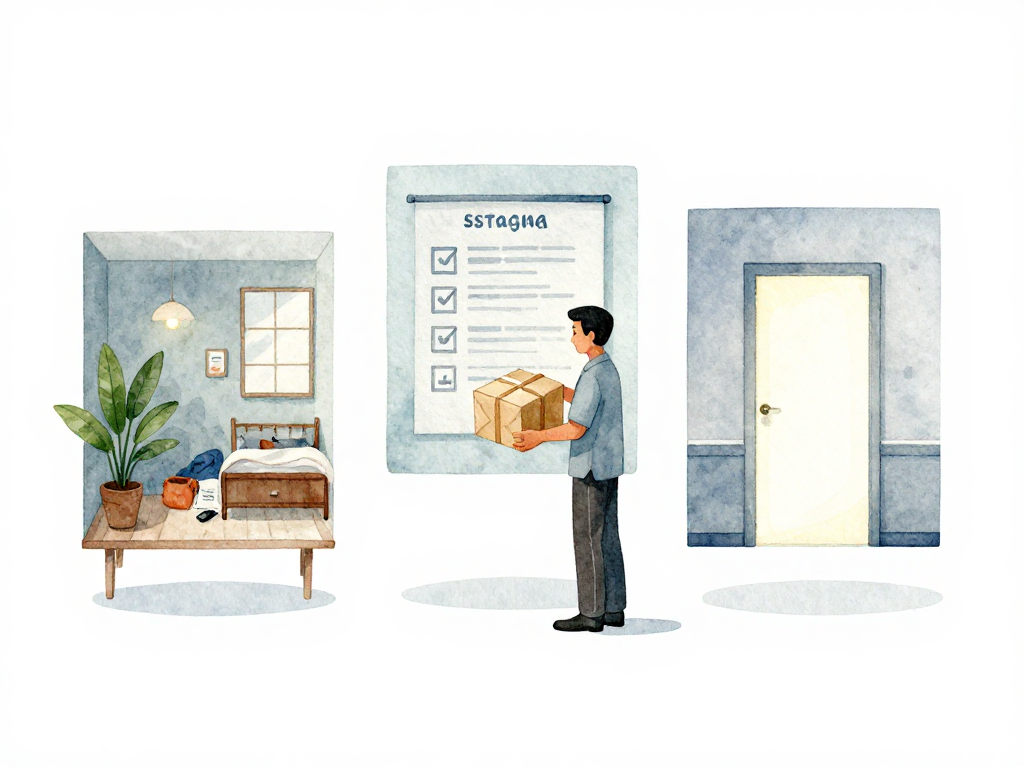
What You Actually Ship: Artifacts and Environments
You write code on your laptop. You push it to a repository. Someone says "deploy it." But what exactly gets deployed? The raw source code sitting in your editor? Not quite. Between your laptop and the server, something important happens: your code gets transformed into something the server can actually run. That transformed thing is called an artifact. And where it runs is called an environment.
Understanding these two concepts changes how you think about delivery. It stops being about "moving code around" and becomes about "shipping a prepared package to the right place."
Why Raw Code Won't Work on a Server
Imagine you finish writing a Python script on your laptop. You have Python 3.11 installed, along with a dozen libraries you installed via pip. Your laptop has a specific version of OpenSSL, a specific locale setting, and maybe some environment variables you set months ago and forgot about.
Now you want that script to run on a production server. If you just copy the raw .py files over, the server needs to have the exact same Python version, the exact same libraries, and the exact same system dependencies. If anything is off, the script might fail in ways you didn't expect. Maybe a library version is different. Maybe the server doesn't have a compiler for a native extension. Maybe the timezone setting causes a date parsing bug that only shows up at 2 AM.
This is why you don't ship raw source code. You ship an artifact: a self-contained bundle that includes everything the application needs to run. The artifact is built once, in a controlled environment, and that same artifact is deployed everywhere. No rebuilding, no "it works on my machine" surprises.
What an Artifact Looks Like
An artifact is the output of a build process. Its shape depends on your technology stack:
- Java: A JAR or WAR file containing compiled bytecode and dependencies.
- Go: A single binary file with no external dependencies.
- Python: A wheel file or a zip bundle with all libraries included.
- Node.js / frontend: A folder of minified HTML, CSS, and JavaScript files.
- Docker: A container image that packages the application with its runtime.
The key property is that an artifact is ready to run. No compilation, no dependency resolution, no environment setup. You give it to a server, and the server runs it. That's it.
Where Artifacts Go: Environments
Once you have an artifact, you need somewhere to run it. That somewhere is an environment. Environments are not just different servers. They are different contexts with different purposes, data, configurations, and risk tolerances.
Development Environment
This is your laptop or your local machine. Here, you can break things freely. You can try experimental branches, delete databases, and restart services a hundred times. Nobody else is affected. The data is fake or sampled. The configuration points to local services. The goal is speed and flexibility, not stability.
Staging Environment
Staging is a replica of production, as close as you can reasonably make it. Same hardware specs, same operating system, same database version, same network topology. The data might be anonymized production data or synthetic data that mimics real usage patterns.
Staging exists to catch problems before they reach users. You deploy the artifact here, run tests, do manual checks, and verify that the new version works with the existing infrastructure. If something breaks, it's inconvenient but not catastrophic. No users are affected.
Production Environment
This is where real users interact with your application. Production has real data, real traffic, and real consequences if something goes wrong. The configuration here is carefully managed: database credentials, API keys, feature flags, and connection pools are all set up for live usage.
Deploying to production requires more caution. You might use gradual rollouts, canary deployments, or blue-green strategies. You need monitoring, alerting, and a rollback plan. The artifact that reaches production should be the same artifact that passed staging, not a different build.
Why the Distinction Matters
Many teams treat environments as just "different servers." They deploy the same way everywhere, with the same scripts and the same level of care. That's a mistake.
Each environment has different requirements:
- Data: Development uses fake data. Staging might use anonymized production data. Production uses real data. You should never connect staging to a production database, even accidentally.
- Configuration: API endpoints, feature flags, and resource limits differ per environment. A configuration file that works in development might crash production if it points to a local database.
- Tolerance for failure: In development, you can restart services whenever you want. In production, a restart might drop active connections and frustrate users. The same action has different consequences depending on where you do it.
When you treat environments as distinct contexts, you design your deployment process accordingly. You don't run the same script on staging and production without reviewing the differences. You don't assume that what works in development will work in production. You verify at each step.
The Pipeline Connects Artifacts to Environments
A CI/CD pipeline is the bridge between artifacts and environments. It builds the artifact once, stores it in a registry, and then promotes it through environments. The same artifact that passed tests in staging is the one deployed to production. No rebuilding, no recompilation, no "let me just fix this one thing on the server."
The path from code to production looks like this:
This is why artifact management matters. You need a place to store artifacts, version them, and trace which artifact is running in which environment. When a bug is reported, you should be able to say: "That's version 1.4.3 of the artifact, built from commit abc123, currently running in production." Without that traceability, debugging becomes guesswork.
Practical Checklist
Before your next deployment, check these:
- Is the artifact built once and stored in a registry?
- Is the same artifact deployed to staging and production?
- Does each environment have its own configuration, separate from the artifact?
- Can you trace which artifact version is running in each environment right now?
- Is there a rollback plan that uses a previous artifact, not a rebuild?
The Concrete Takeaway
Artifacts and environments are not abstract concepts. They are the actual things you handle every time you deliver software. The artifact is what you ship. The environment is where it runs. Keep them separate, keep them traceable, and never rebuild an artifact just because you're deploying to a different environment. Your production server should run the exact same package that passed your tests.