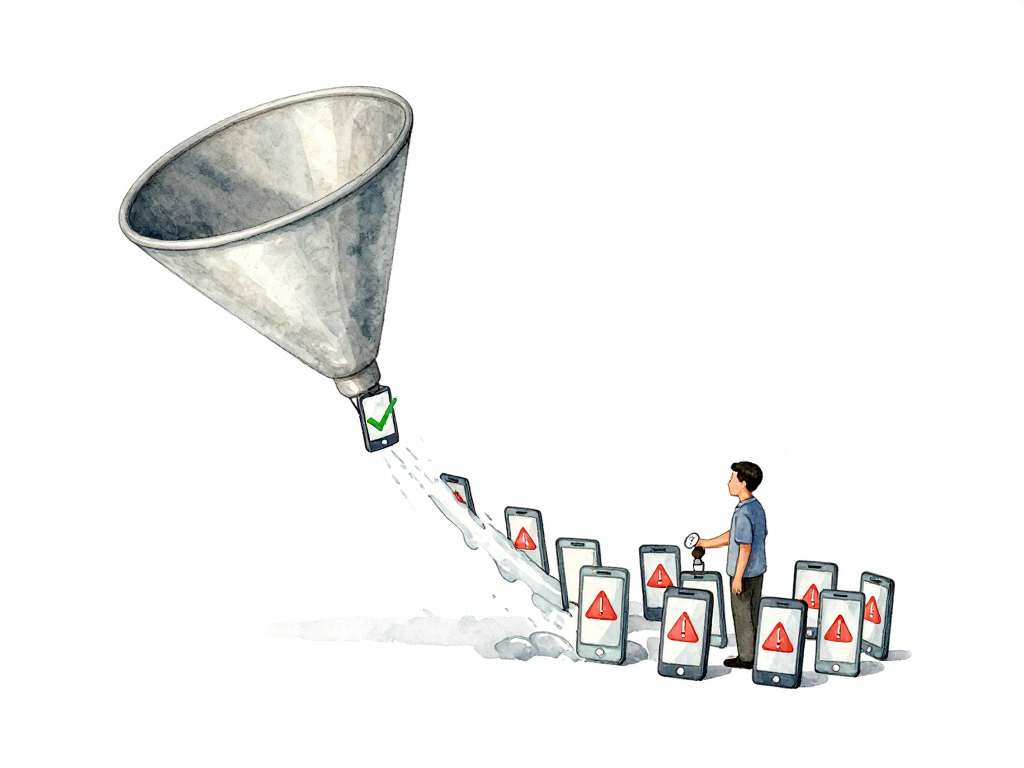
Why You Shouldn't Release Your Mobile App to Everyone at Once
You just got approval from the app store. Your team has been waiting for this moment. The natural instinct is to hit "release to all users" and move on to the next feature. But here is what happens when you do that: a crash that only appears on devices running Android 12 with 4GB of RAM hits every single one of those users at the same time. You do not find out until your crash monitoring dashboard turns red, and by then, hundreds or thousands of users have already had a terrible experience.
This is not a hypothetical scenario. It happens regularly. The fix is not better testing alone. The fix is changing how you release: instead of one big push, you release to a small group first, watch what happens, and then expand.
The Problem With Releasing to Everyone
When you release to all users at once, you lose your safety net. The app store review process catches obvious problems, but it cannot catch everything. Device-specific crashes, OS version incompatibilities, network condition issues, and subtle performance regressions often slip through. These problems only show up when real users run the app on real devices in real conditions.
The risk is not just crashes. A feature that works perfectly in staging might behave differently when thousands of users hit it simultaneously. A database query that was fast with test data might slow to a crawl with production data volumes. An API call that worked fine during development might fail under real network latency.
Releasing to everyone means you find these problems the hard way: all at once, with no chance to stop the damage.
Staged Rollout and Phased Release
This is where staged rollout and phased release come in. Both are mechanisms to release a new version to a subset of users first, monitor the impact, and then gradually expand to the rest. Android calls it staged rollout. iOS calls it phased release. The concept is the same, but the implementation differs.
The core idea is simple: reduce the blast radius. If something goes wrong, only a small percentage of users are affected. You have time to detect the problem, pull the release, and fix it before the damage spreads.
The following flowchart illustrates the typical staged rollout process with monitoring checkpoints and rollback decisions:
How Staged Rollout Works on Android
In Google Play Console, staged rollout lets you choose the percentage of users who receive the update. You might start with 10 percent. Your CI/CD pipeline can automate this by sending the new version to a specific track through the Google Play Console API.
Here is how a typical staged rollout looks in practice:
- Pipeline builds the release version and runs automated tests.
- Pipeline uploads the build to the staged rollout track at 10 percent.
- Pipeline waits 48 hours while monitoring crash rates and error reports.
- If everything looks normal, pipeline expands to 25 percent.
- After another monitoring period, expand to 50 percent.
- Finally, expand to 100 percent.
If at any point the crash rate spikes or error reports increase significantly, the pipeline can halt the rollout and notify the team. You can also manually stop the rollout from the Play Console if you spot a problem before the automated checks catch it.
The key advantage on Android is control. You decide the percentages and the timing. You can move fast when things look good, and you can pause or stop when they do not.
How Phased Release Works on iOS
Apple takes a different approach. With phased release, Apple controls the schedule. You enable the option in App Store Connect when you submit the new version. After approval, Apple releases the update to a small percentage of users on day one, then gradually expands over seven days.
You cannot manually set percentages like on Android. You cannot speed up the rollout if everything looks clean. But you can still monitor the impact through App Store Connect analytics or third-party tools like Firebase Crashlytics.
If you detect a problem during the phased release, you can pull the version from App Store Connect before all users receive it. This is the critical safety net. Even though you have less control over the rollout speed, you still have the ability to stop the damage.
The seven-day window might feel slow, especially when you are eager to ship a feature. But consider the alternative: releasing to everyone and discovering a critical bug after 100,000 users have already downloaded the update.
Automating Staged Rollout in Your Pipeline
Your CI/CD pipeline can handle the entire staged rollout process automatically. Here is a practical approach for Android:
- Build and sign the release APK or AAB.
- Upload to Google Play Console using the API, targeting the staged rollout track.
- Set initial percentage to 10 percent.
- Wait for a defined monitoring period, typically 24 to 48 hours.
- Check metrics from Firebase Crashlytics or your crash reporting tool.
- Decide: if crash rate is below threshold, expand to next percentage. If above, halt and notify.
- Repeat until reaching 100 percent.
For iOS, the automation is simpler because you cannot control percentages. Your pipeline can:
Here is a YAML snippet for a GitHub Actions job that uploads an Android build and sets a 10% staged rollout:
- name: Upload to Google Play (10% staged rollout)
  uses: r0adkll/upload-google-play@v1
  with:
    serviceAccountJsonPlainText: ${{ secrets.PLAY_SERVICE_ACCOUNT_JSON }}
    packageName: com.example.app
    releaseFiles: app/build/outputs/bundle/release/app-release.aab
    track: production
    userFraction: 0.1
    releaseStatus: completed
This step uses the userFraction parameter to limit the rollout to 10% of users. The pipeline can later expand this fraction after monitoring.
- Build and sign the IPA.
- Upload to App Store Connect.
- Enable phased release in the submission.
- Monitor crash rates and analytics during the seven-day window.
- Pull the release if problems appear.
The pipeline does not replace human judgment. It handles the mechanical parts: uploading, waiting, checking metrics, and expanding. The team still needs to review crash reports, investigate anomalies, and make the final call on whether to continue or halt.
What Staged Rollout Is Not
Staged rollout is not a substitute for proper testing. You still need unit tests, integration tests, and manual QA before submitting to the app store. Staged rollout is the last line of defense, not the first.
Staged rollout is also not a way to ship broken code and hope for the best. The goal is to catch the problems that slip through despite your best testing efforts. If you are relying on staged rollout to catch basic bugs, your testing process needs improvement.
Practical Checklist for Your Next Release
- Set up crash monitoring with alerts before the release.
- Define your crash rate threshold for halting the rollout.
- Configure your pipeline to upload to the staged rollout track.
- Set the initial percentage to 10 percent or lower.
- Define the monitoring period between expansions.
- Test the halt mechanism: can you stop the rollout quickly?
- Assign someone to monitor crash reports during the rollout window.
- Document the rollback procedure in case you need to pull the release.
The Takeaway
Releasing a mobile app to all users at once is a gamble you do not need to take. Staged rollout and phased release give you a controlled, observable path from zero to full deployment. You trade a few extra days of rollout time for the ability to catch problems before they affect everyone. That trade is almost always worth it.
Next time your app gets approved, resist the urge to release to everyone. Start small, watch the metrics, and expand only when you are confident. Your users will never know you held back, but they will notice when the app does not crash on launch day.