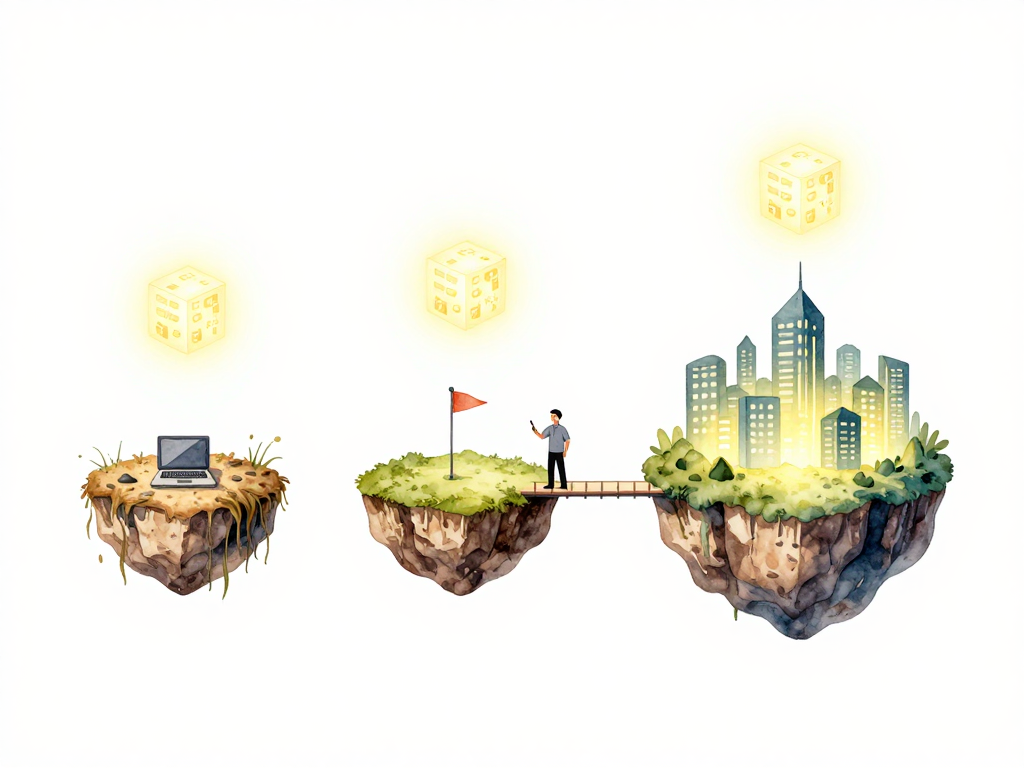
Where Your Code Actually Runs: Understanding Environments
You've just finished building your application. The tests pass, the build completes, and the artifact is sitting safely in a registry. Now comes the question that every team eventually faces: where do you put this thing so people can actually use it?
The obvious answer is "on a server." But that single answer hides a more important reality. Your application will likely need to live in several different places before it ever reaches real users. Each of those places serves a different purpose, and treating them all the same way is a fast track to broken releases and angry users.
The First Place: Development
When you're writing code, you need a space where you can experiment freely. This is your development environment. For many developers, this starts on their own laptop. You run the application locally, make changes, break things, fix them, and repeat. No one else is affected because no one else is using that instance.
Some teams share a development server. Multiple developers push their code to a common machine where they can test integrations before anything gets serious. Either way, the rules are the same: data can be fake, crashes are acceptable, and stability is not the goal. The purpose here is exploration and iteration.
Development environments should feel low stakes. If you need to restart the application ten times in an hour, that's fine. If you accidentally delete the database, you restore from a backup of dummy data and move on. This freedom is essential for moving fast during development.
The path your artifact takes through these environments looks like this:
The Almost-Production Place: Staging
At some point, your code needs to prove it can survive in conditions that resemble the real world. This is where staging comes in.
Staging is designed to mirror production as closely as possible. The server configuration should match. The database version should be the same. The way the application starts, connects to services, and handles requests should all be identical to what you'll have in production. The only thing missing is real users and real data.
This environment exists for one reason: to catch problems before they reach your users. If a migration fails, you find out in staging. If a configuration setting is wrong, you discover it here. If the new feature breaks under realistic load, you see it before anyone complains.
Teams often make the mistake of letting staging drift from production. Maybe the staging server has less memory, or uses a different database engine, or runs an older version of the operating system. These differences defeat the purpose. If staging isn't a faithful replica, the tests you run there don't tell you much about what will happen in production.
The Real Place: Production
Production is where your application meets its actual purpose. Real users send real requests. Real data gets processed, stored, and returned. Real consequences follow every change you make.
Because the stakes are higher, production is managed differently. Access is restricted. Changes go through more review. Deployments follow stricter procedures. You don't experiment in production. You don't push untested code. You don't make ad-hoc configuration changes without understanding the impact.
The tension between development speed and production stability is a constant force in every engineering team. You want to move fast, but you also need to keep the service running. Environments help manage this tension by providing different spaces for different levels of risk.
The Same Artifact, Different Places
Here's a principle that separates smooth deployments from chaotic ones: the same artifact should run in staging and production.
This sounds obvious, but many teams violate it without realizing. They build the application for staging, run tests, and then build again for production. Maybe the production build uses different flags. Maybe the dependencies resolve slightly differently. Maybe someone manually patches something in staging but forgets to apply the same fix to the production build.
When the artifact changes between environments, your staging tests become meaningless. You tested version A but deployed version B. Any confidence you had from the staging run was false confidence.
The fix is straightforward: build once, promote the same artifact through environments. The binary or container image that passed tests in staging is the exact same one that goes to production. No recompilation. No different flags. No manual patches. Just the same artifact, deployed to different places.
How Deployment Differs Per Environment
Not all environments should be deployed the same way. The level of care and ceremony should match the risk.
In development, you can deploy automatically on every commit. The cost of failure is low, so the process can be fast and loose. Some teams even skip formal deployment entirely and just restart the application with the latest code.
In staging, you typically deploy after basic tests pass. The process should be automated but may include some verification steps. You want to confirm the artifact is valid before it reaches the staging server.
In production, deployment often involves more steps. You might require approvals, schedule deployments during low-traffic windows, or use gradual rollouts that shift traffic slowly to the new version. The exact process depends on your application's risk profile, but the pattern is consistent: more care for environments that affect real users.
Managing Environments Consistently
Each environment needs to be managed in a repeatable way. If setting up a staging server requires a different process than setting up production, you're introducing variables that can cause problems.
The goal is consistency. The way you place an artifact, start the application, and verify it's running should be the same across environments. The only differences should be in configuration values like database URLs, API keys, and feature flags.
When environments are managed inconsistently, strange bugs appear. "It worked in staging" becomes a common phrase, followed by confusion when the same artifact fails in production. Nine times out of ten, the difference is in how the environment was set up, not in the code itself.
Practical Checklist for Environment Management
- Each environment has a clear purpose documented and understood by the team
- Staging mirrors production in configuration, dependencies, and infrastructure
- The same artifact binary is promoted through staging to production
- Deployment processes are automated and repeatable across environments
- Environment-specific configuration is separated from the application code
- Access to production is restricted and logged
- Staging uses sanitized or synthetic data that resembles production patterns
What Comes Next
Your artifact is now in the right environment. It's been tested in staging and promoted to production. But being present on the server doesn't mean users are seeing it yet. The next step is deciding when the new version actually starts serving traffic. That decision - the moment between deployment and release - is where many teams find their next set of challenges.