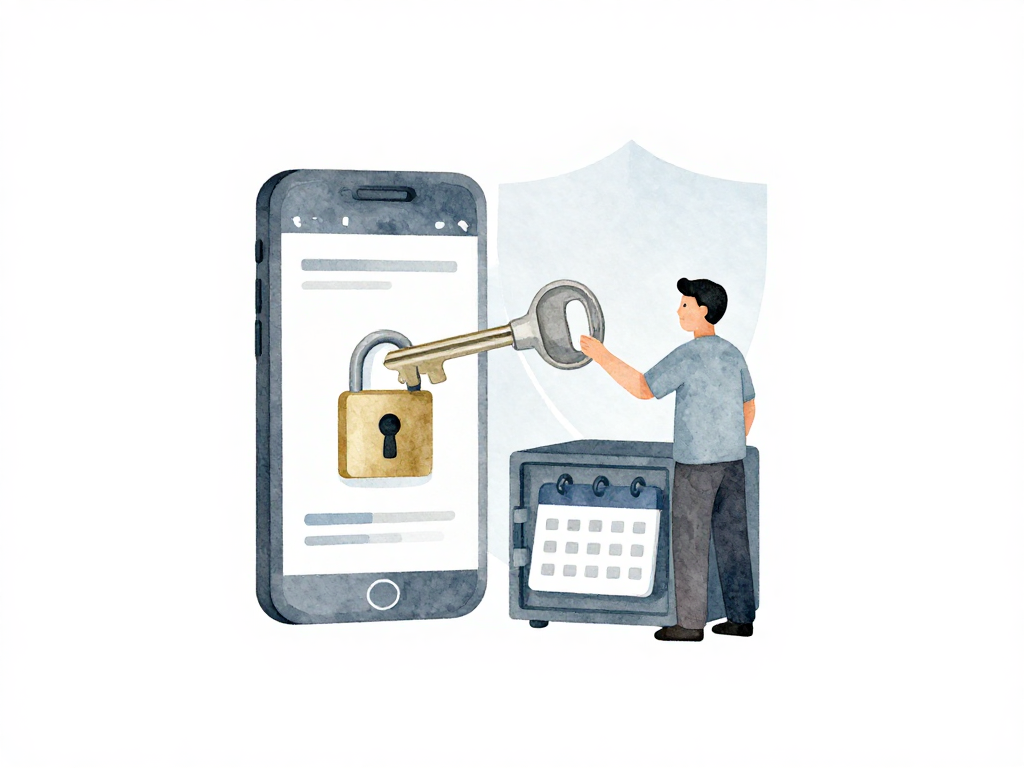
Why Your Mobile App Pipeline Needs Signing (And How to Keep It Secure)
You just finished building your Android or iOS app. The build is green, the tests passed, and you're ready to ship. But before that APK or IPA can land on anyone's device, there's one more step that often feels like bureaucratic overhead: signing the app.
It's tempting to treat signing as a checkbox item. But if you've ever lost a keystore, watched a certificate expire on a Friday night, or accidentally committed a provisioning profile to a public repo, you know this is where things get real. Signing is not just a technical formality. It's the security layer that proves your app came from you, not from someone who repackaged it or impersonated your identity.
What Signing Actually Does
When you sign an app, you attach a digital signature that ties the binary to your identity. This signature is checked by the operating system and the app store. If the signature doesn't match, the app won't install, or the store will reject the upload.
For Android, signing uses a keystore file. This file contains a private key and a digital certificate. Think of it as your official stamp. Every time you build an APK or AAB for release, you stamp it with that keystore. If you use a different keystore later, Android treats the app as a completely different application, even if the package name is identical. That means users cannot update the app over the existing installation. They would have to uninstall the old version first, losing all local data.
For iOS, the process is more layered. You need two things: a certificate and a provisioning profile. The certificate is your digital identity as a developer. The provisioning profile ties together the certificate, the App ID, and the list of devices allowed to run the app. For App Store distribution, you use a distribution certificate and an App Store provisioning profile. For internal testing or development, you use a development certificate and an ad-hoc provisioning profile.
The Real Problem: Keeping Secrets in a Pipeline
Once you understand what signing requires, the next question is obvious: how do you store these credentials in your CI/CD pipeline without writing them into your code or config files?
The answer is secret management. But let's be clear about what not to do first.
Never store keystores, certificates, or provisioning profiles in your Git repository. These files are secrets, not configuration. If they end up in a public repo, anyone can sign apps pretending to be you. If they end up in a private repo, you still have a problem: every developer with repo access now holds your production signing keys. That's a security and audit risk.
Instead, use the secret store provided by your CI/CD platform. GitHub Actions, GitLab CI, Jenkins, and most other platforms have built-in secret variables. You can upload your keystore or certificate as a base64-encoded string, store it as a secret variable, and decode it back to a file during the pipeline run. The secret is never written to disk on the build machine until runtime, and it never appears in logs.
Here's a concrete example for Android with GitHub Actions:
- name: Decode keystore
  run: echo "${{ secrets.KEYSTORE_BASE64 }}" | base64 --decode > app/release.keystore
For iOS with Fastlane and GitLab CI:
- name: Decode certificate
  run: echo $MATCH_PASSWORD | fastlane match import --git_url $MATCH_REPO
If your team needs more control, consider using a dedicated secrets manager like AWS Secrets Manager, Azure Key Vault, or HashiCorp Vault. Your pipeline fetches the credentials at runtime from these services. This approach gives you audit logs, access control, and centralized rotation. The credentials never sit inside the pipeline configuration itself.
Here is a complete bash script that fetches the keystore from AWS Secrets Manager, signs the APK with jarsigner, and verifies the signature:
#!/bin/bash
set -euo pipefail

# Fetch keystore from AWS Secrets Manager
KEYSTORE_SECRET=$(aws secretsmanager get-secret-value \
  --secret-id "mobile-app/keystore" \
  --query SecretString --output text)

echo "$KEYSTORE_SECRET" | base64 --decode > /tmp/release.keystore

# Sign the APK
jarsigner -verbose -sigalg SHA256withRSA \
  -digestalg SHA-256 \
  -keystore /tmp/release.keystore \
  -storepass "$STORE_PASSWORD" \
  app-release-unsigned.apk \
  mykeyalias

# Verify the signature
jarsigner -verify -verbose -certs app-release-unsigned.apk

# Clean up
rm -f /tmp/release.keystore
This script ensures the keystore is never stored in the repository, is fetched securely at runtime, and is cleaned up immediately after signing.
Certificate Expiry: The Silent Pipeline Killer
Here's a scenario that happens more often than it should. Your pipeline runs fine for months. Then one day, a release build fails. You dig into the logs and find that the signing certificate has expired. The app that is already in the store still works fine on users' devices. But you cannot upload a new version. The store rejects it because the signature on the new binary is invalid.
Android keystores and iOS certificates have expiration dates. They do not renew automatically. Your pipeline should detect upcoming expirations and alert the team before the credential becomes unusable. A simple script that checks the validity date of the keystore or certificate and sends a notification to your team's chat channel can save you from a blocked release.
For Android, you can check the keystore expiry with:
keytool -list -v -keystore release.keystore -storepass $STORE_PASSWORD | grep "Valid until"
For iOS, Fastlane's match tool includes a --readonly mode that shows certificate expiry. You can also use the security command on macOS:
security find-identity -v -p codesigning | grep "iPhone Distribution"
A Practical Checklist for Signing in Your Pipeline
If you're setting up signing for the first time or reviewing your current setup, run through this checklist:
- Are keystores, certificates, and provisioning profiles stored outside of Git?
- Are signing credentials stored in the CI/CD platform's secret store or an external secrets manager?
- Is the base64-encoded keystore or certificate stored as a secret variable, not in a config file?
- Does the pipeline decode the secret only at runtime, in a temporary directory?
- Are the temporary signing files cleaned up after the build completes?
- Does the pipeline check certificate expiry and alert the team before the credential expires?
- Is there a documented process for rotating or renewing signing credentials?
- Are production signing credentials restricted to a small set of trusted team members?
Signing Is Not the End
Once your app is signed, the artifact is ready for testing. But a signed binary sitting on a build machine is not the same as a tested release. Mobile apps cannot be fully verified by reading code or running unit tests alone. You need to run the signed app on emulators, simulators, or real devices to catch issues that only appear at runtime.
The signing step is a gate. It ensures that what you are about to test and ship is genuinely yours. Treat it with the same care you give to your production database credentials. Because in many ways, it is more valuable: losing a database password means restoring from backup. Losing your keystore means losing the ability to update your app entirely.